You open Figma, run Prism, press send, and nothing arrives in After Effects. Before reinstalling anything, look at the Prism Launcher. Its Connections page shows the state of every app on one diagram, and each state points to a different fix. This guide walks through what each state means and what to do about it, from the most common cause to the rarest.
Start with the Launcher, not the app
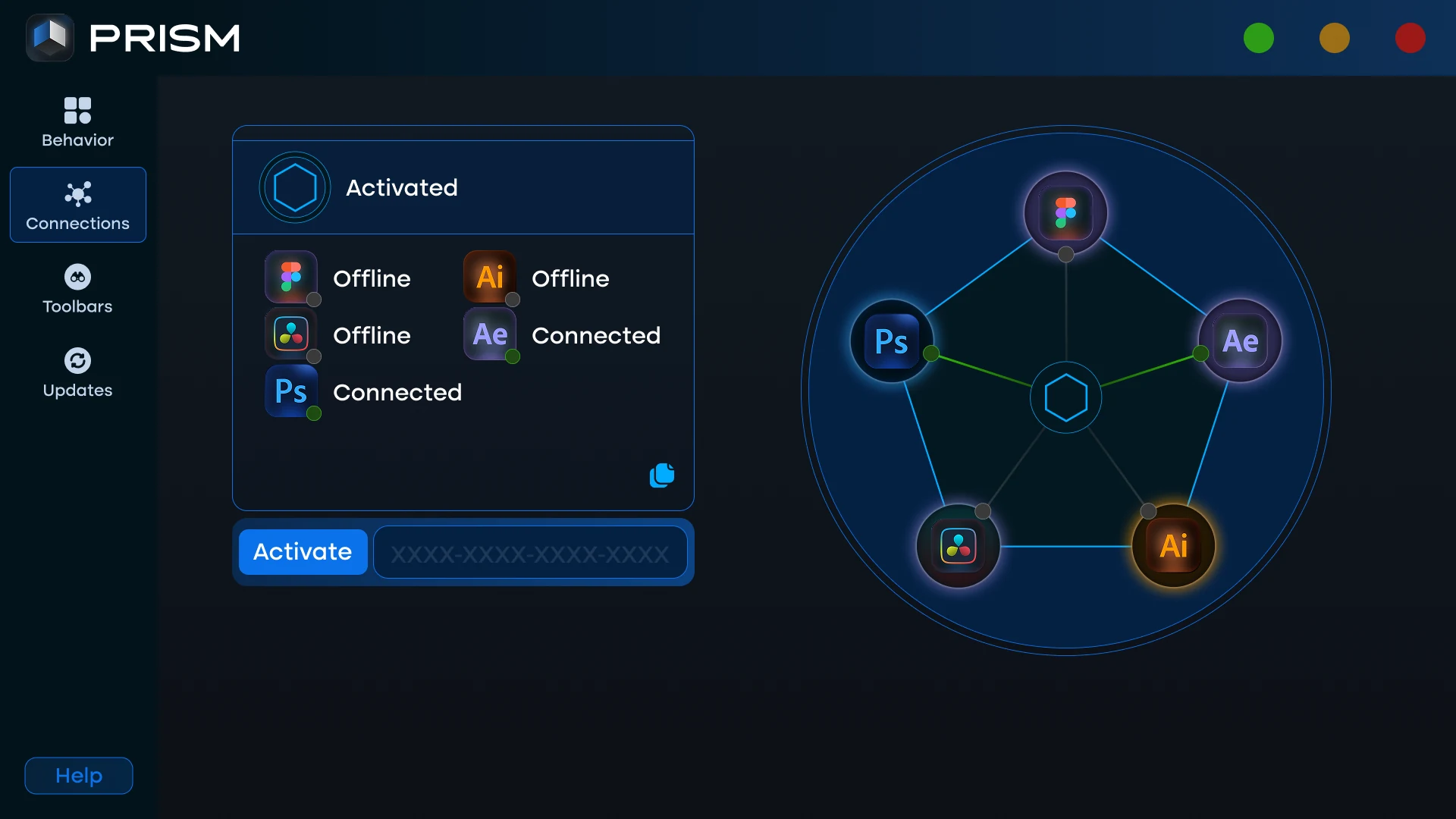
Prism works through a small bridge that runs on your own computer. Figma, Illustrator, Photoshop, DaVinci Resolve and After Effects all talk to that bridge, and the Launcher is the window that shows it. Open Prism from the Start menu and go to Connections. The status card at the top tells you which case you are in: waiting for an app, apps connected, activation needed, or Prism not running.
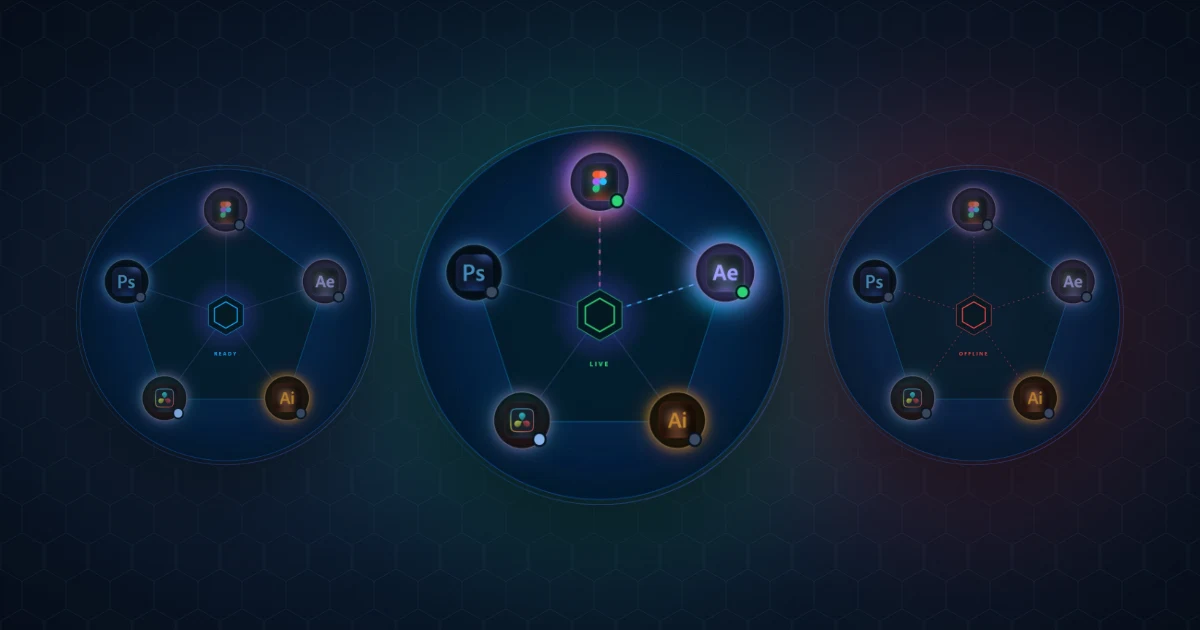
The three states of the connection diagram
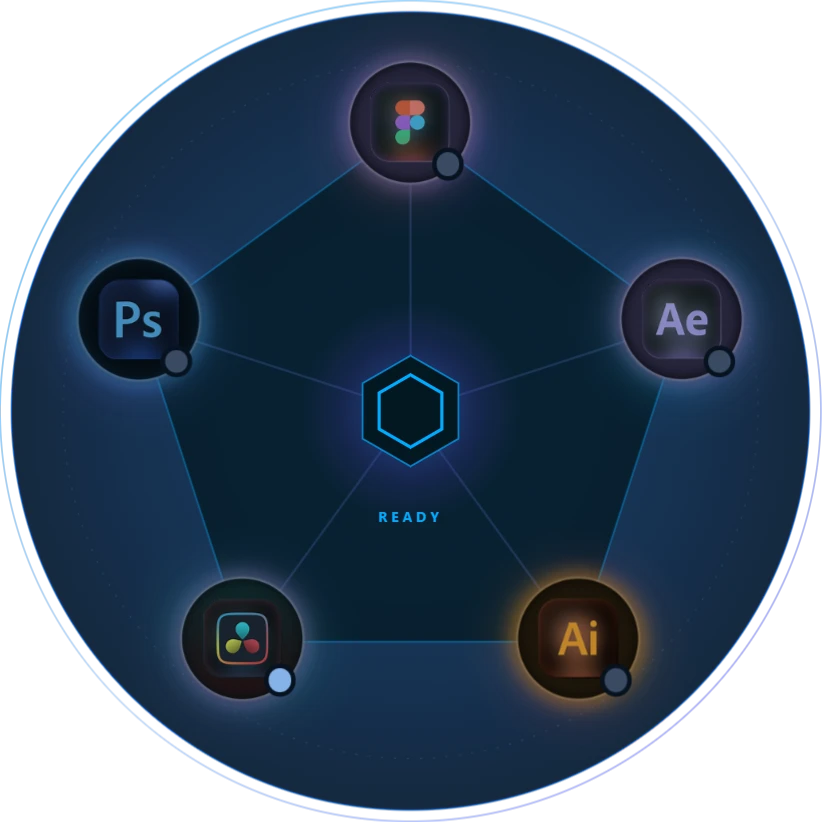
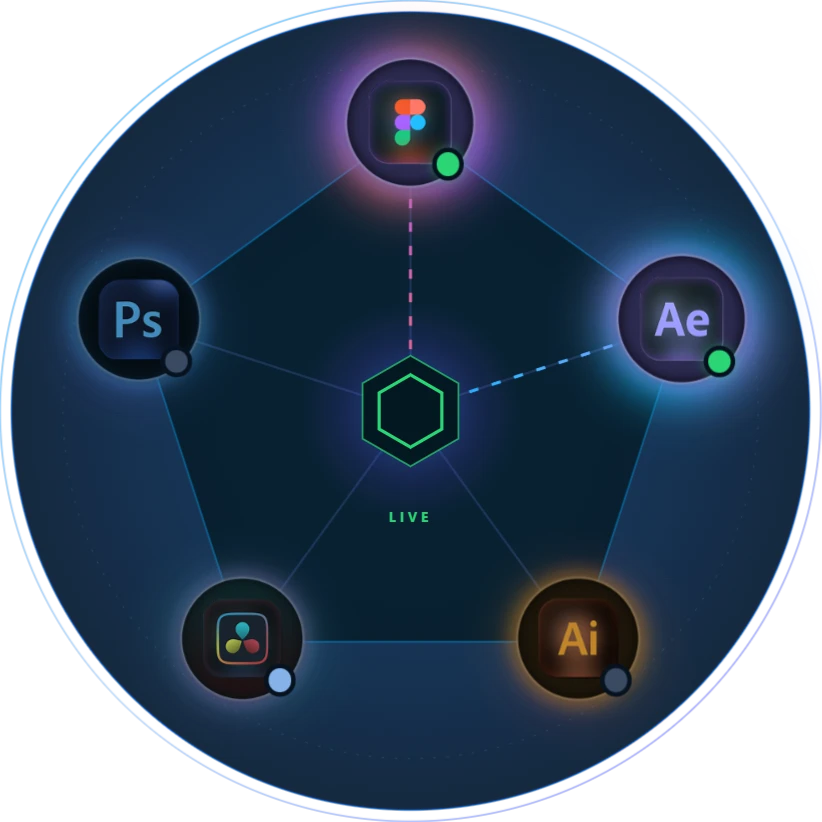
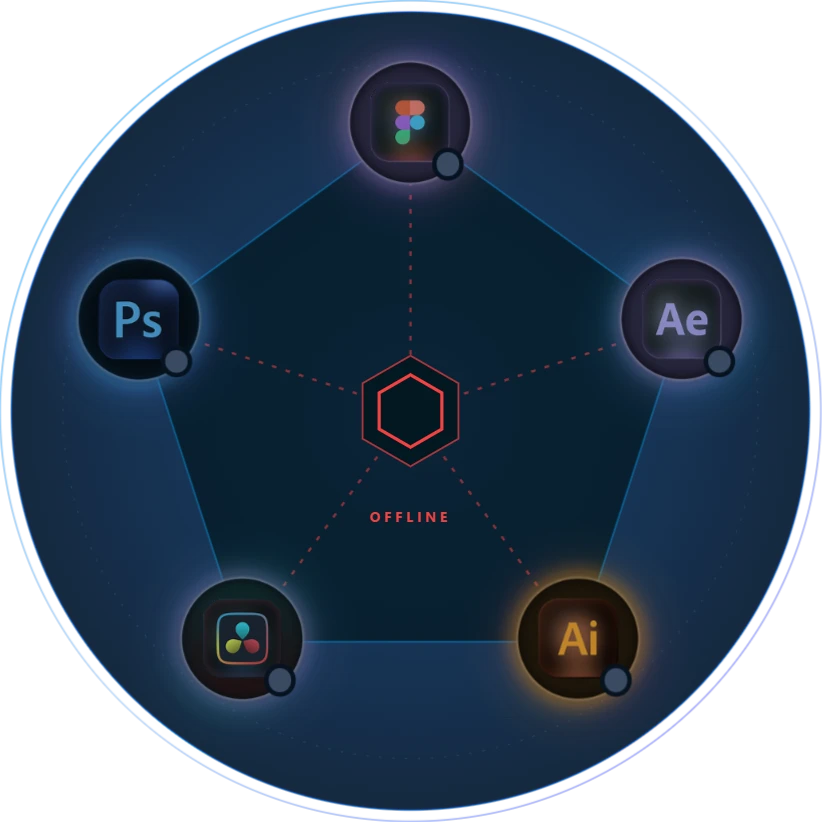
The pentagon diagram has one logo per app and a line from each logo to the centre. Three things tell you everything: the small dot on each logo, the line to the centre, and the word in the middle.
Grey dot, still line: the app is not connected
Prism is running and activated, but that app's Prism panel is not open, so it has nothing to talk to yet. This is the normal state before you start working, and the fix is simply to open the panel.
Green dot, moving line: the app is connected
The app's panel is open and talking to the bridge. A line moves from the app to the centre, and the middle reads LIVE. When the two apps you want to use both show green, sending a design works.
Red lines and OFFLINE: the bridge is not running
This is the one state where the problem is on the Prism side. The background bridge is not running, so no app can reach it, however many panels are open.
Fix 1: Prism is not running
The status card says Prism is not running and shows a Start Prism button. Press it. The Launcher also tries to start the bridge by itself the first time it finds it missing. If it still does not come up, close the window and open Prism again from the Start menu or the desktop shortcut. Your licence is not affected by any of this: the activation stays saved on your computer.
Fix 2: an app shows Offline
An app shows Offline when its Prism panel is not open. Opening the app itself is not enough, Prism counts the panel:
- After Effects, Illustrator and Photoshop: open Window > Extensions > Prism.
- Figma: run Plugins > Prism. Figma shows as connected while the plugin is open, and goes back to Offline a few seconds after you close it.
If Prism is missing from Window > Extensions, that app's panel was not installed. Run the installer again and make sure the app is ticked. The Prism installation guide covers this step, and its troubleshooting section lists the other cases.
Fix 3: "Locked" or "Not in your plan"
Locked on every app means Prism is not activated on this computer. Paste your licence key in the status card on the Connections page, and every app you installed unlocks at once.
Not in your plan on a single app means your licence does not include a bridge for it. That is not a connection problem. The row links to the Prism store page, where you can add it.
Fix 4: DaVinci Resolve shows Ready
DaVinci Resolve never shows Connected, and that is expected. Prism runs inside Resolve from its Scripts menu instead of a panel that stays open, so there is no live connection to show. Ready means it is included in your plan. To bring a design in, go to Workspace > Scripts > Prism Receive.
An app still shows Connected after you closed it
When you close a panel normally, it disappears from the diagram straight away. If the app crashed or was force closed, it could not say goodbye, so Prism waits a few minutes before marking it Offline. Nothing is wrong: give it a moment, or open the panel again.
Still stuck? Send us the log
Press the bug icon at the bottom of the Launcher's sidebar to open the Prism report page, and describe what you tried. Prism writes one log for the whole chain, from the sending app through the bridge to After Effects, in %TEMP%\prism_ae_log.txt on Windows. Attaching it lets us see exactly where a transfer stopped. The Prism user guide also explains every page of the Launcher in detail.
Frequently Asked Questions
Why does Figma show Offline when Figma is open?
Prism counts the Prism plugin, not the Figma app. Run Plugins > Prism in your file and Figma turns green within a few seconds.
Do I need to keep the Launcher window open?
No. With Keep running in the tray turned on in Settings, closing the window leaves the bridge running in the system tray, and your apps stay connected.
Is my licence lost when the Launcher says Prism is not running?
No. The activation is saved on your computer. Starting Prism again brings the bridge back with the same licence, no key needed.
Why is the Prism panel missing from Window > Extensions?
The panel for that app was not installed. Run the Prism installer again and tick the app you need.
Does Prism need an internet connection to send designs?
The apps talk to each other through the bridge on your own computer. Prism uses the internet to activate your licence and to download updates.