You export the cut, send the link on WhatsApp, and wait. Then the feedback arrives: three voice notes, a blurry screenshot of the client's laptop, and a message that says "the part near the end, can the logo be bigger?" Which part? Which logo? Near the end of which version?
If you edit video or make motion graphics for clients, you know this loop. The work itself is not what slows the project down. The feedback is.
The hidden cost of feedback in a chat app
Chat apps are great for talking. They are terrible for reviewing video, because video feedback depends on one thing chat cannot hold: an exact moment in time.
- "Around 1:20" is a guess. The client paused on their phone, you open the file in your editor, and the timing never quite matches. You spend minutes hunting for the shot they meant.
- Voice notes cannot be searched. Two days later you need to find "that comment about the red colour" and you are replaying audio from the top.
- Screenshots lose context. A cropped image shows a frame, but not which version, which second, or what the arrow drawn on it was pointing at.
- Versions get mixed up. The client comments on version 2 while you already sent version 3. Now half the notes are already fixed and you cannot tell which half.
- Several people, several threads. The marketing manager says one thing in the group, the CEO says the opposite in private, and you find out when both reply to the final export.
None of this is anyone's fault. It is simply the wrong tool for the job. Every extra round of "what did you mean?" is time you are not being paid for, and it is usually the reason a two day revision turns into a week.
What good video feedback looks like
Good feedback answers three questions without a follow-up message: when, where and what.
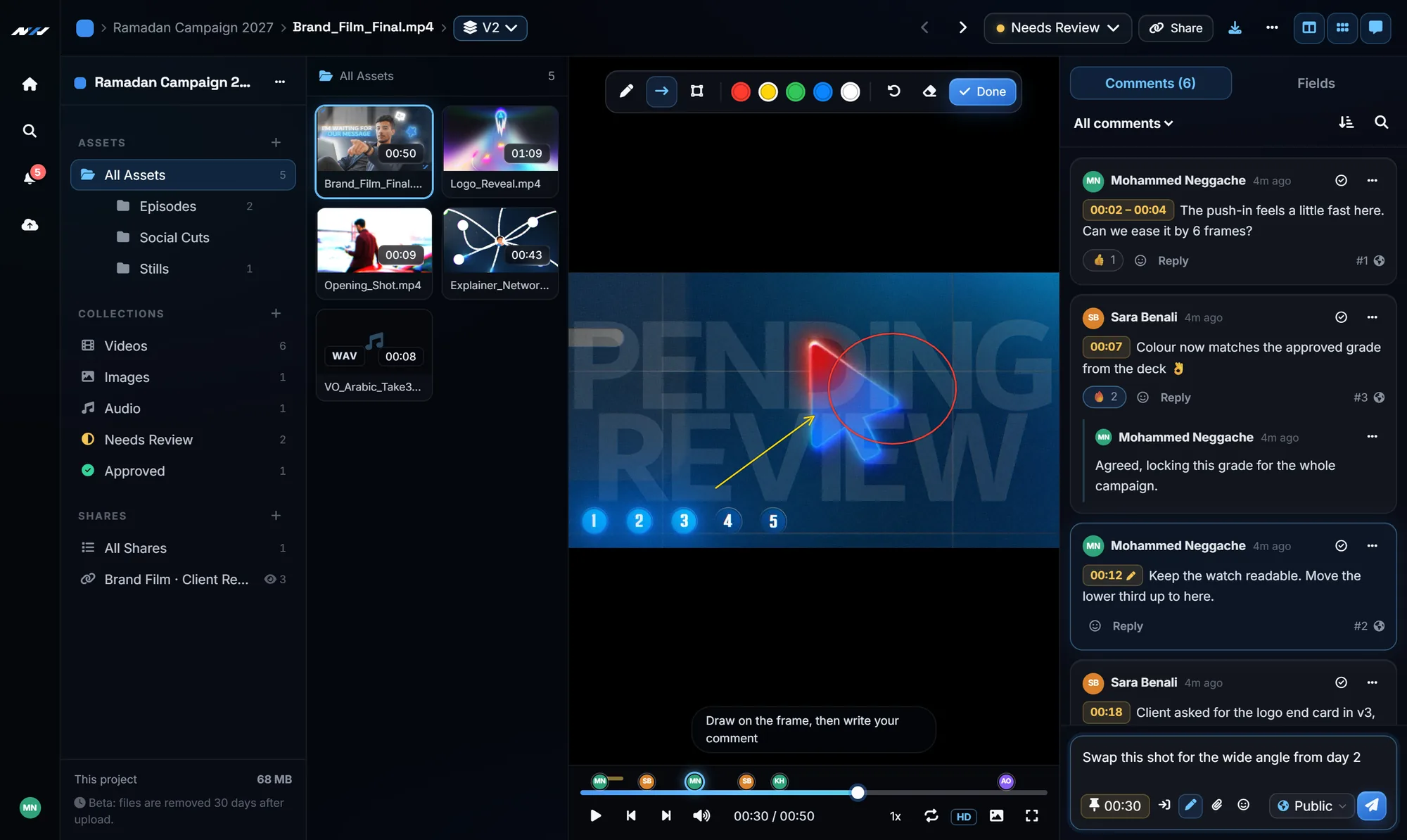
- When: the comment is attached to the exact frame, or to a range of frames, not to a rough minute.
- Where: the reviewer can draw an arrow, a circle or a box on the frame itself, so "the logo" means one specific logo.
- What: the note is written, readable, and stays next to the video, so anyone on the team can scan the whole list in seconds.
Add a clear version history and a simple "approve" or "request changes" button, and most of the back and forth disappears on its own.
How we solved it at Next Horizon
We are a motion graphics studio, and we lived with this problem on every project. So we built Next Horizon Review, a video review and approval platform designed around the way studios and their clients actually work.
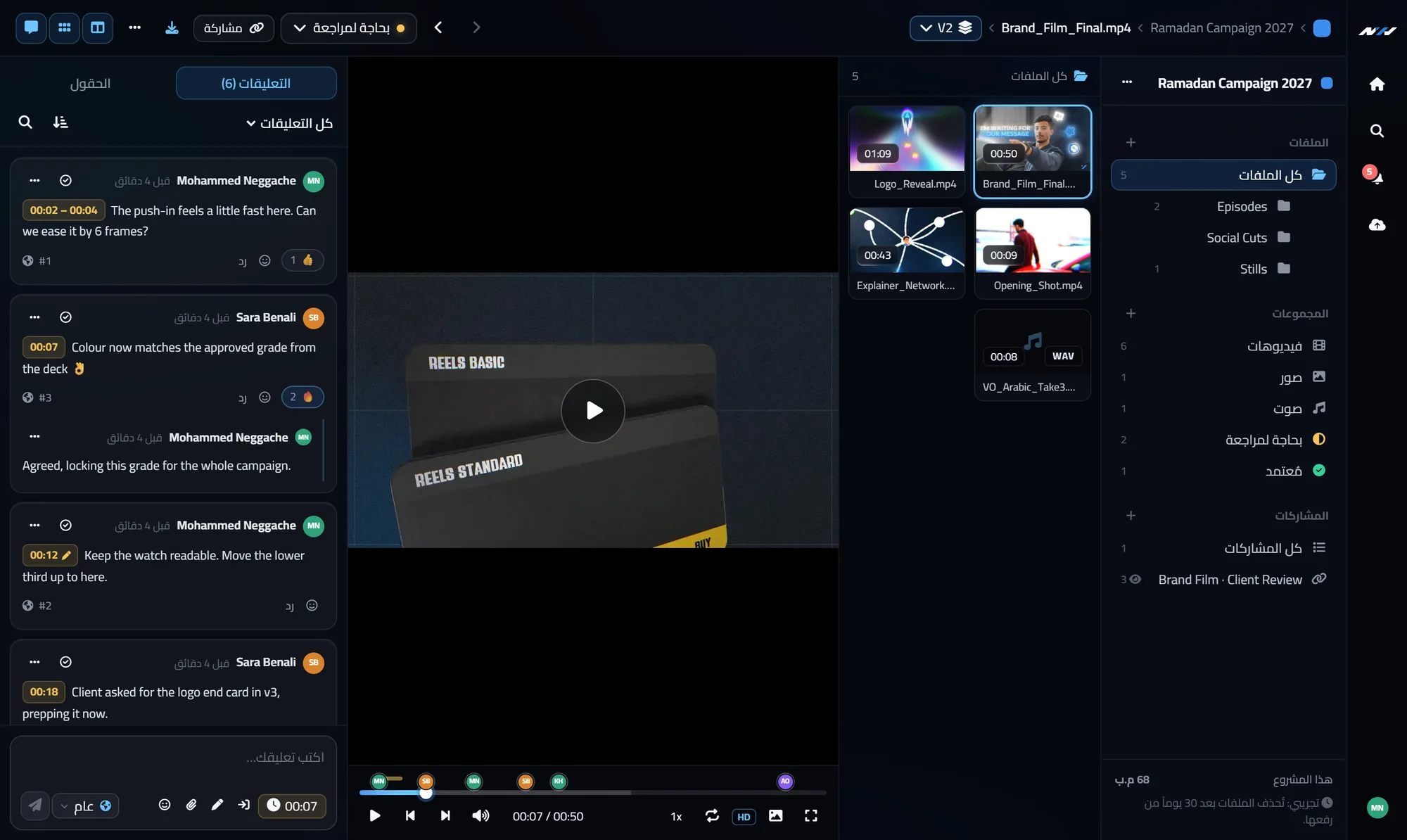
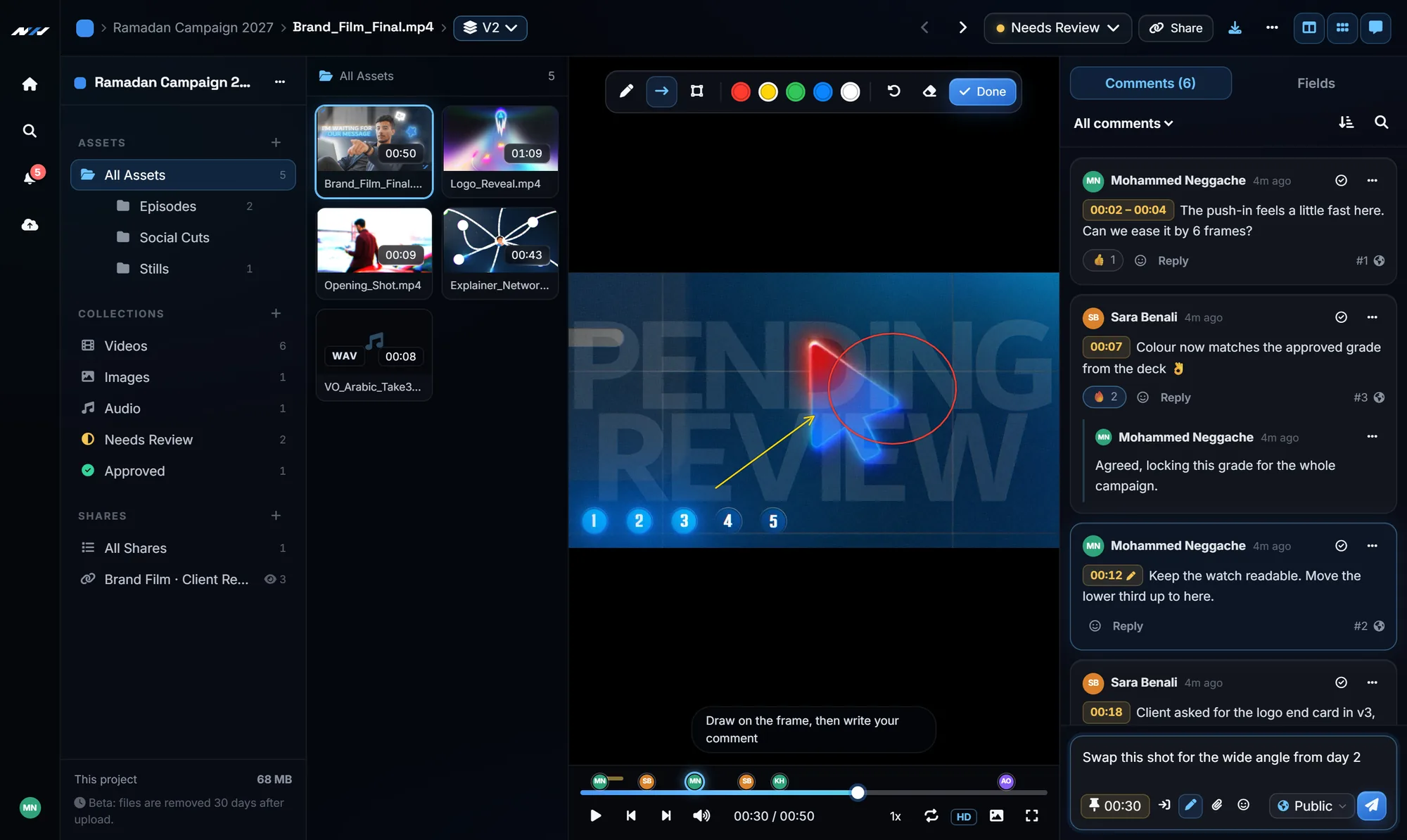
- Timecoded comments. The client pauses, types, and the comment is saved on that exact frame. Click the comment later and the player jumps straight there.
- Drawing on the frame. Pen, arrow, rectangle and circle tools, in several colours, so a note can point at the exact element it is about.
- Range comments. For notes like "this whole section feels slow", mark an in and out point instead of a single frame.
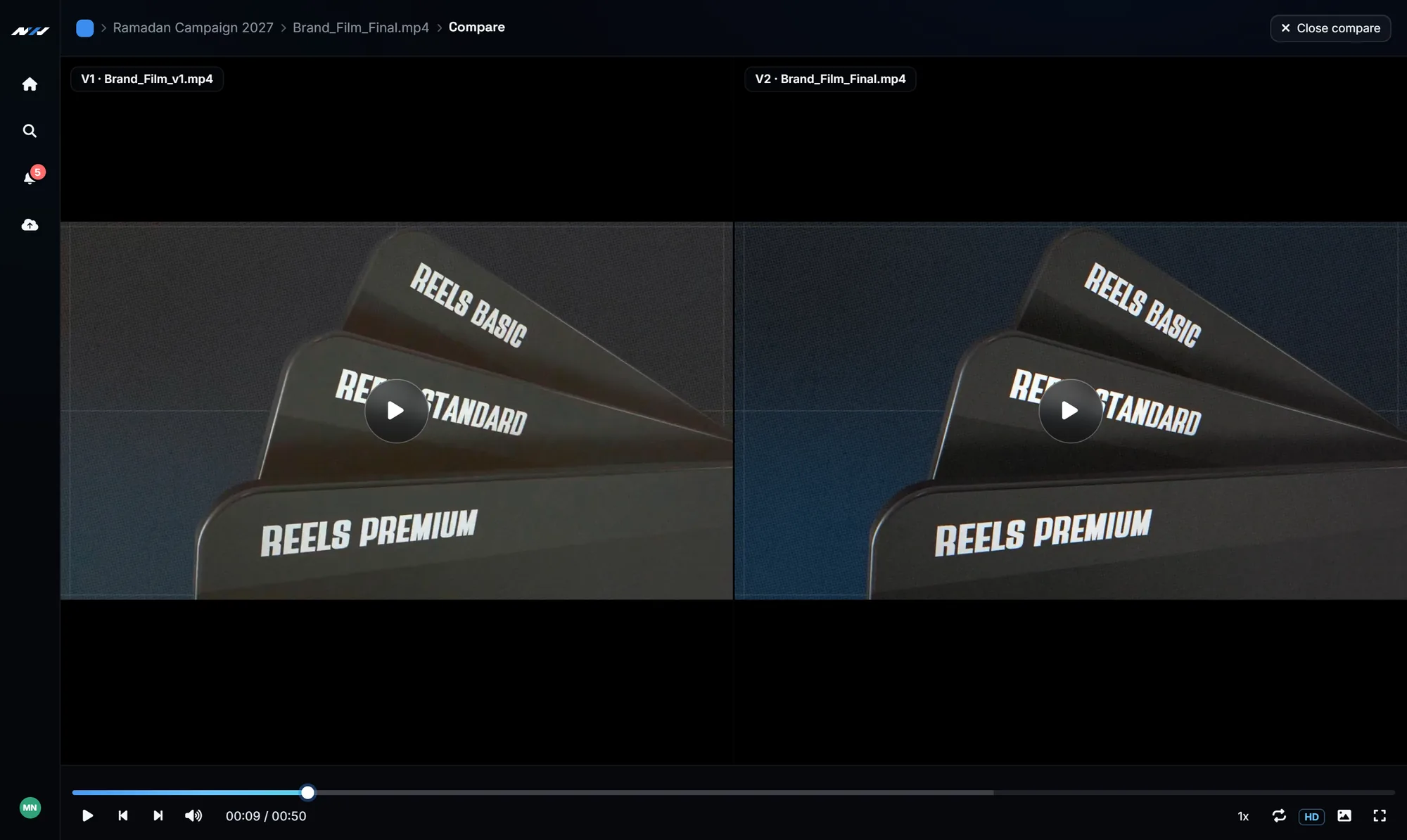
- Versions in one place. Upload version 2 on top of version 1 and the link you already sent always shows the newest cut. You can compare two versions side by side.
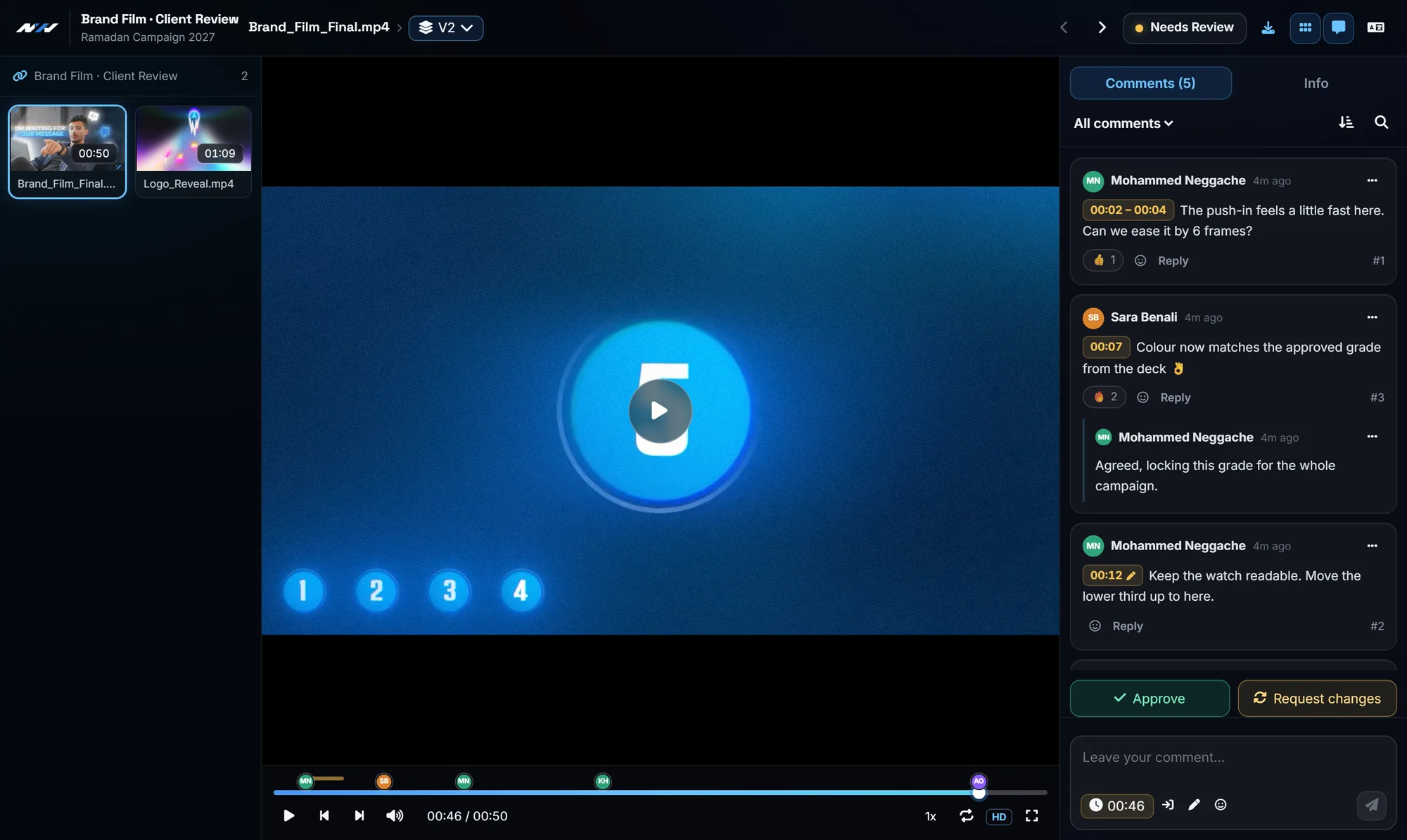
- No account for the client. You send one link. The client opens it on a laptop or a phone, writes a name, and starts commenting.
- Approve or request changes. The decision is a button, not a sentence you have to interpret, and you are notified the moment it is clicked.
A quick before and after
Before: export, upload to a drive, paste the link in a chat, wait, decode voice notes, rewatch to find the moments, reply with questions, repeat.
After: upload the cut, share one link, get a list of notes that each point to an exact frame, fix them one by one and tick them off as resolved, upload the next version to the same link.
The creative work stays the same. What changes is that you stop spending your evenings translating feedback.
Where to start
Next Horizon Review has a free plan, so you can try it on your next real project without paying anything. Upload one cut, send the link to one client, and see how different the first round of feedback feels.
If you want the full step by step process, read our guide to a simple video approval workflow. And if you work with Arabic-speaking clients, we also wrote about what to check when choosing a Frame.io alternative.
Frequently Asked Questions
Does my client need to create an account to leave feedback?
No. You share a review link and the client only types a name before commenting. You can protect the link with a password and set it to expire.
Can clients leave feedback from their phone?
Yes. The review page works in a mobile browser, including timecoded comments and the approve or request changes buttons.
What video formats can I upload?
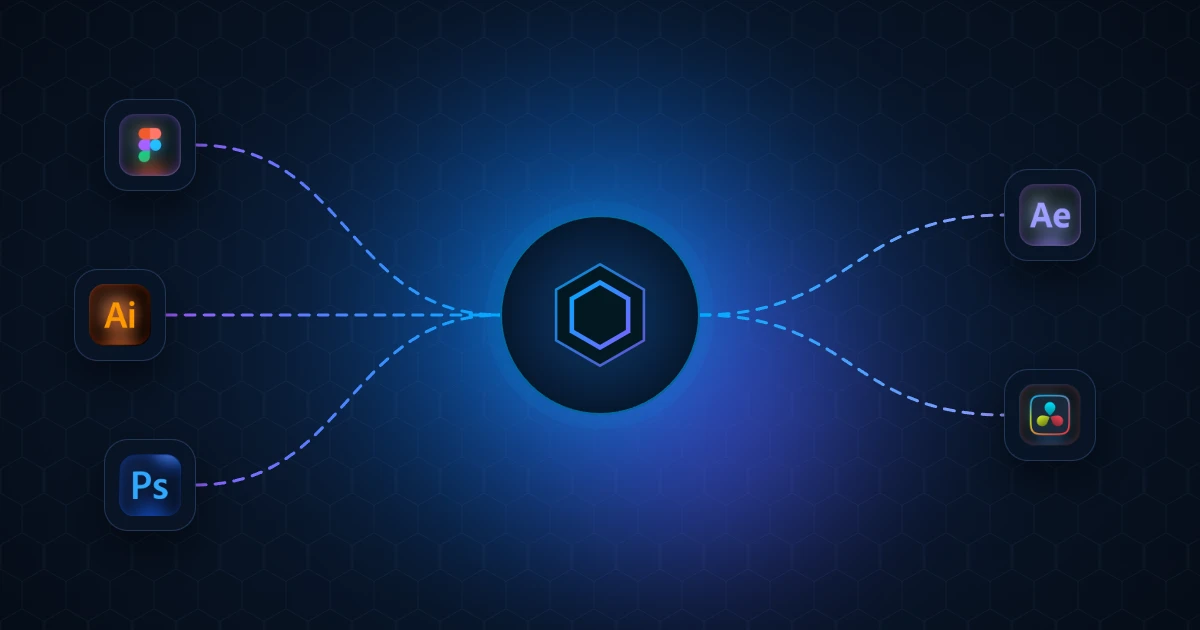
MP4 and WebM files that play in a normal web browser, which covers the standard H.264 MP4 exports from Premiere Pro, After Effects, DaVinci Resolve and Final Cut.
Is there a free plan?
Yes. The free plan lets you try the full review workflow on real projects, and paid plans add more storage and keep your videos for longer.