Next Horizon Review · Beta

Video review your clients will actually use

Upload a cut, send one link, and get feedback pinned to the exact frame, with drawings on the picture and a real Approve button. Your client needs no account. You get no more voice notes that say "the part in the middle".

Free plan with 3 GB of storage. No card needed.

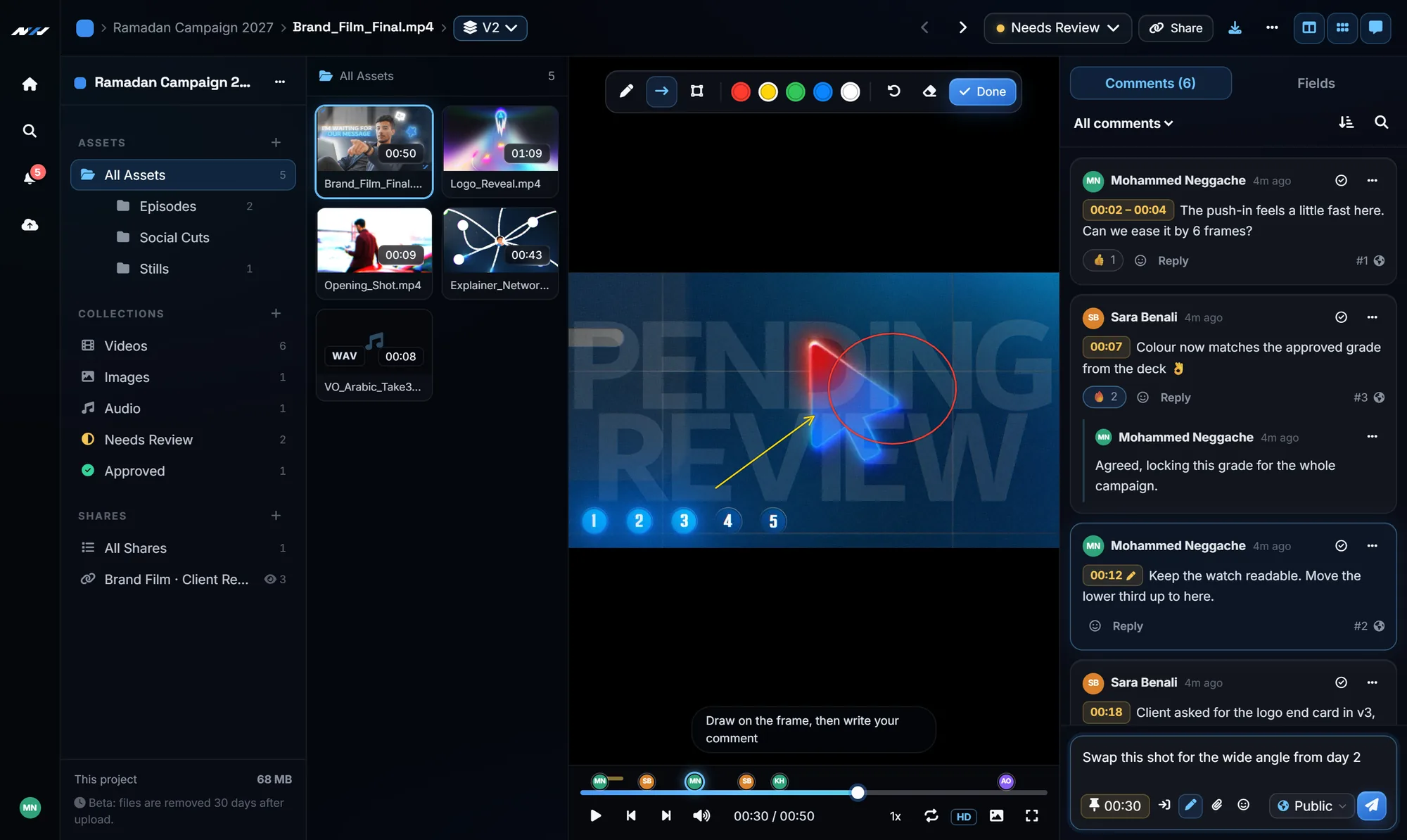
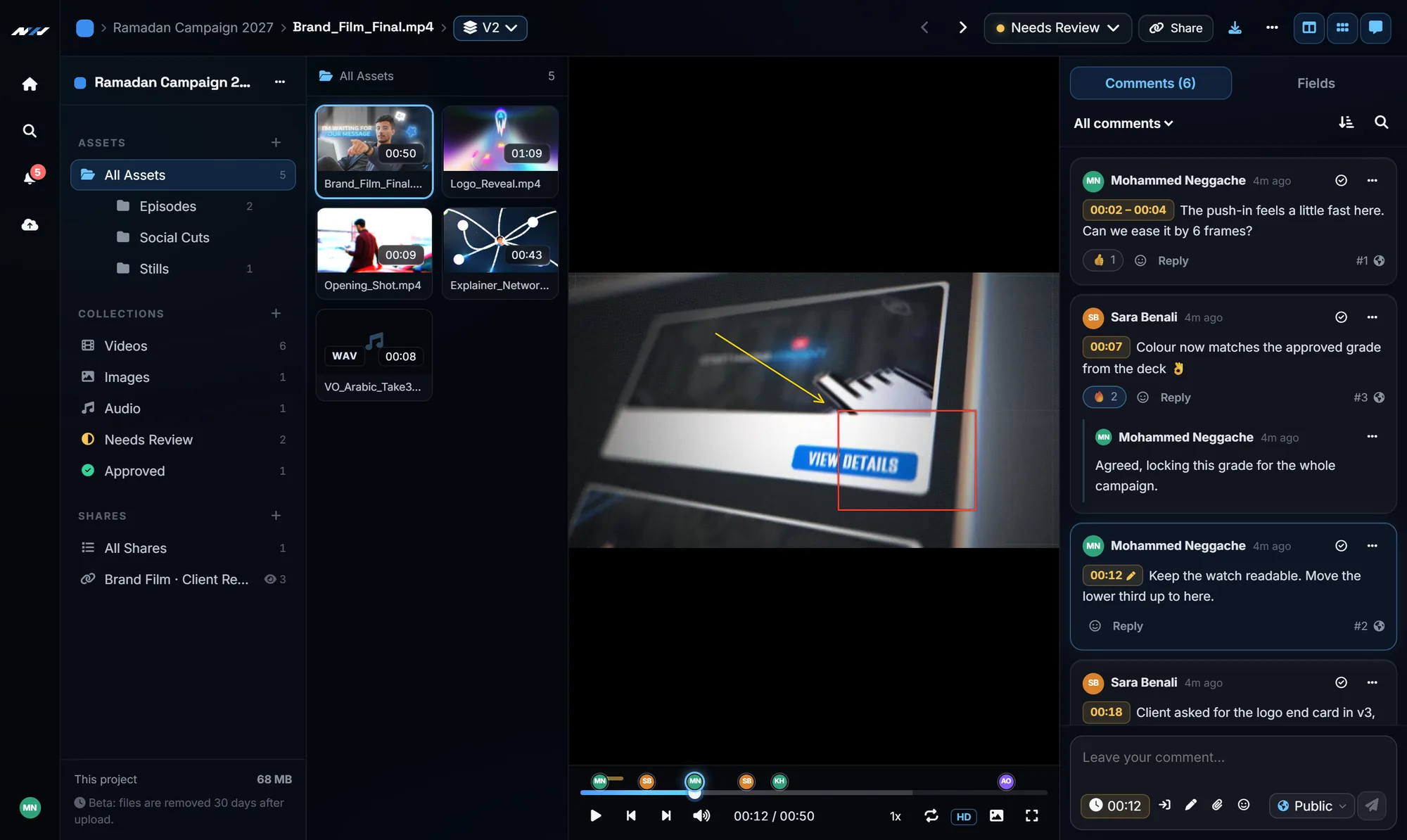
Next Horizon Review: a film with timecoded comments, a drawing on the frame and the comments panel
Frame-accurate comments Draw on the frame Versions and compare Client links, no account One-click approval Arabic and English
The problem

Feedback should not be a puzzle

Every studio knows these three. Next Horizon Review exists to make all of them disappear.

"Change the thing near the end"

Voice notes and chat messages that never say which frame. Here, every note carries its timecode.

final_v3_REAL_final.mp4

Nobody knows which file is current. Here, versions stack, and the client link always shows the newest.

"Is it approved or not?"

Approval buried in a thread. Here, the client presses Approve and the whole team sees the status change.

What you get

Everything the review loop needs, nothing it does not

Every picture on this page is the real app, with real Next Horizon films.

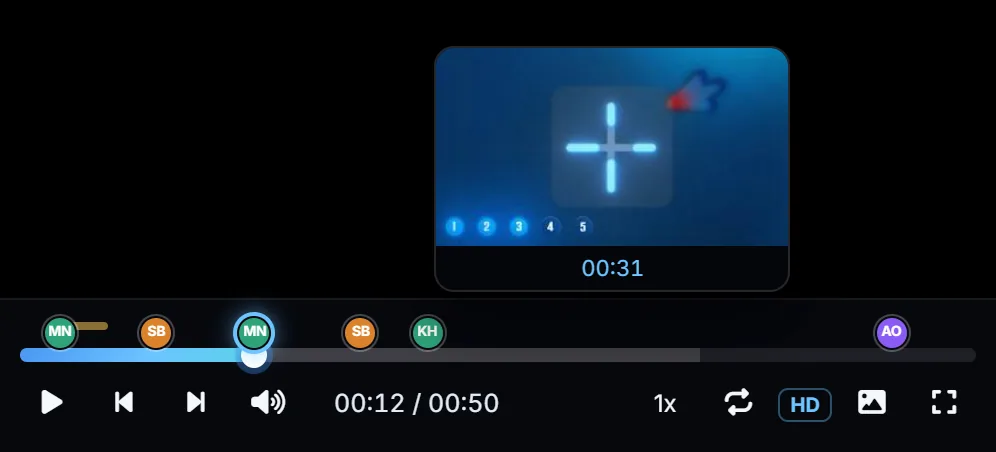
Comment markers with avatars on the video timeline, with a frame preview above
Comments on the frame

Feedback that points at the exact moment

Pause anywhere and type. The comment is stamped with the timecode, or with a start and end point for a whole passage, and appears on the timeline as the author's avatar. Click it and the player jumps straight there. No more "the part at around one minute".

  • Frame, timecode or frame-number display
  • Hover the timeline to preview any frame
  • Replies, reactions and @mentions
Drawing an arrow and a circle on a paused video frame
Draw on the picture

Circle it, point at it, box it

Some notes are faster to show than to write. Draw freehand, arrows or boxes right on the frame in five colours, then add a sentence. Whoever opens the comment sees the drawing on the exact frame it was made on.

  • Works on video and still images
  • Undo, clear and redraw before sending
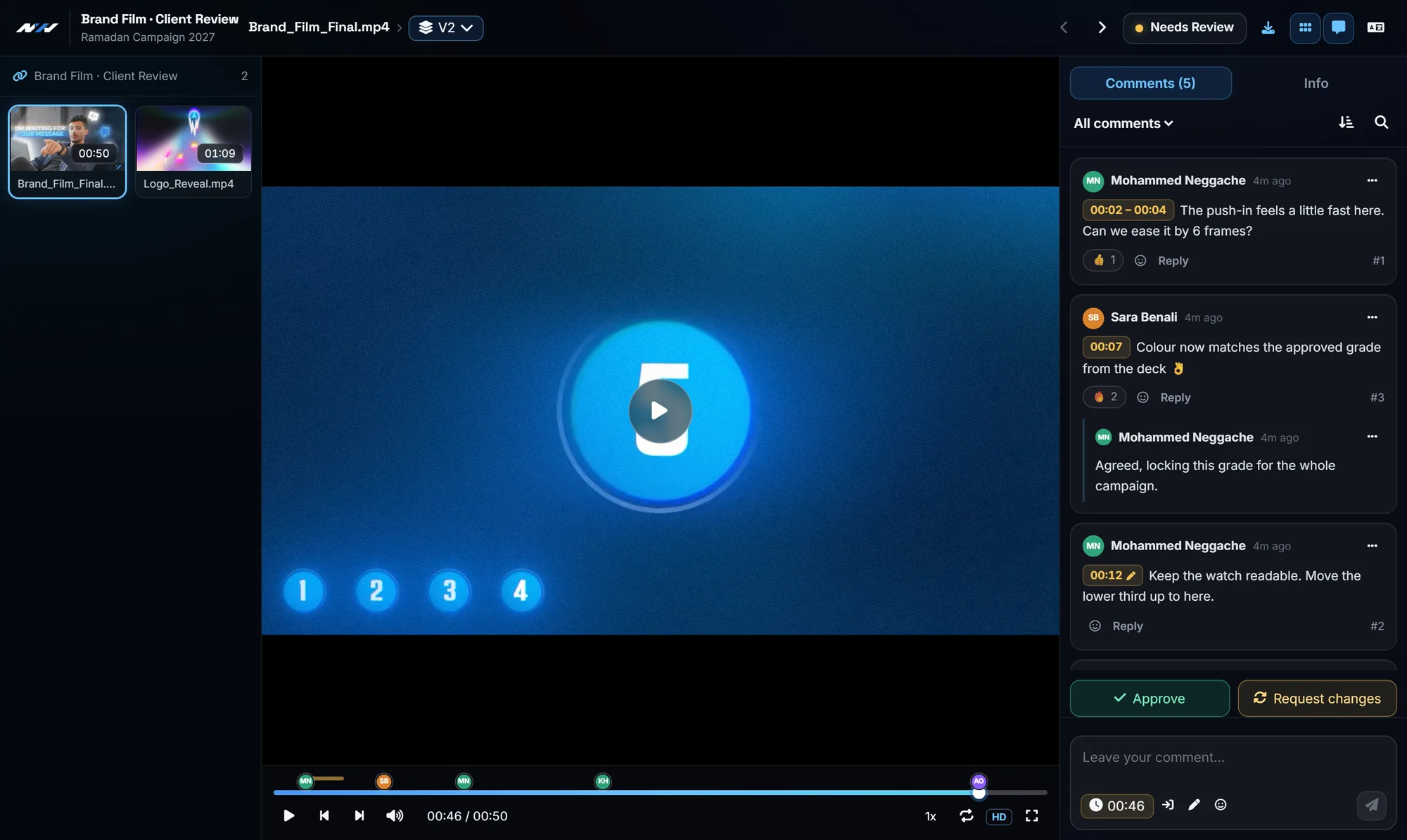
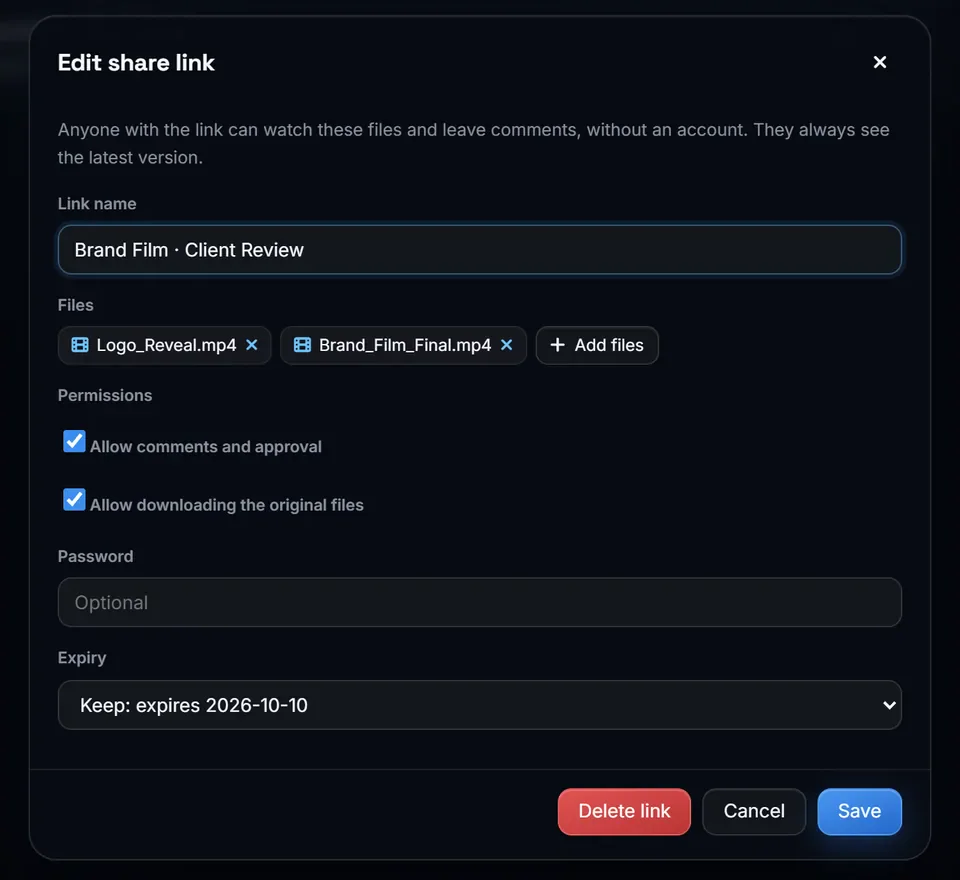
The client review page with Approve and Request changes buttons Link settings: password, expiry, downloads
Link settings: password, expiry, downloads
For your client

One link. No account. A real Approve button.

Your client opens the link on a laptop or a phone, watches, comments with their name, and presses Approve or Request changes. The status changes for the whole team and you are notified. The link always shows the newest version, so you never resend it.

  • Optional password and expiry date
  • You decide whether downloads are allowed
  • Team-only comments stay hidden from the client
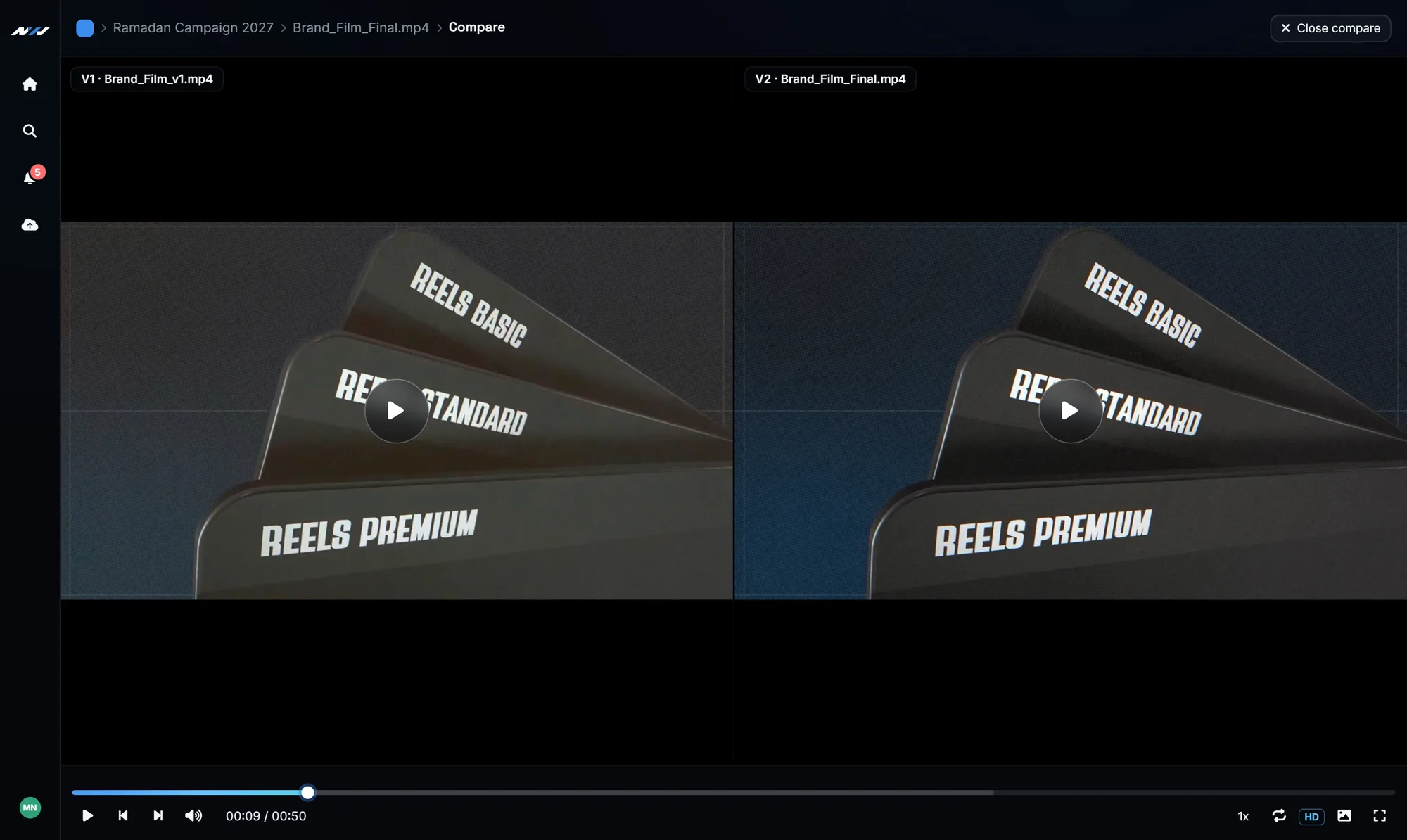
Two versions of the same film compared side by side
Versions

V1, V2, V3 in one place, side by side

Drop the new export onto the old one and it becomes the next version, with its own comments. Compare any two versions side by side, playing in sync, to check that every note was actually addressed.

  • Synced playback with one set of controls
  • No more final_final_v3.mp4
A project with folders and video thumbnails
Your library

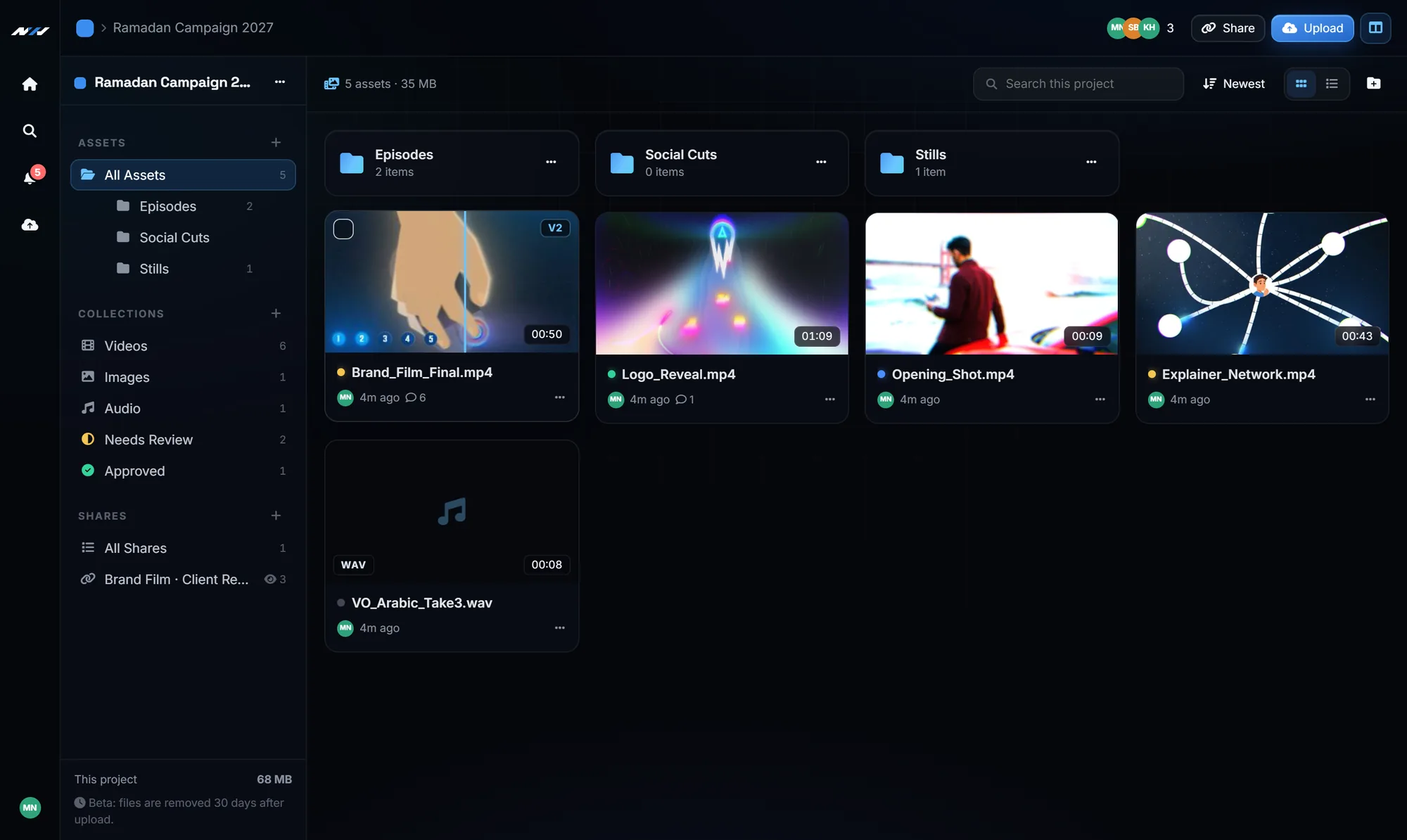
Projects, folders and smart collections

Every client gets a project, every project its folders. Collections like Needs Review or Approved fill themselves as statuses change. Hover a thumbnail to scrub through the video without opening it.

  • Drag and drop uploads that resume if the connection drops
  • Video, images, audio with waveform, PDF and project files
  • Search across every project and comment
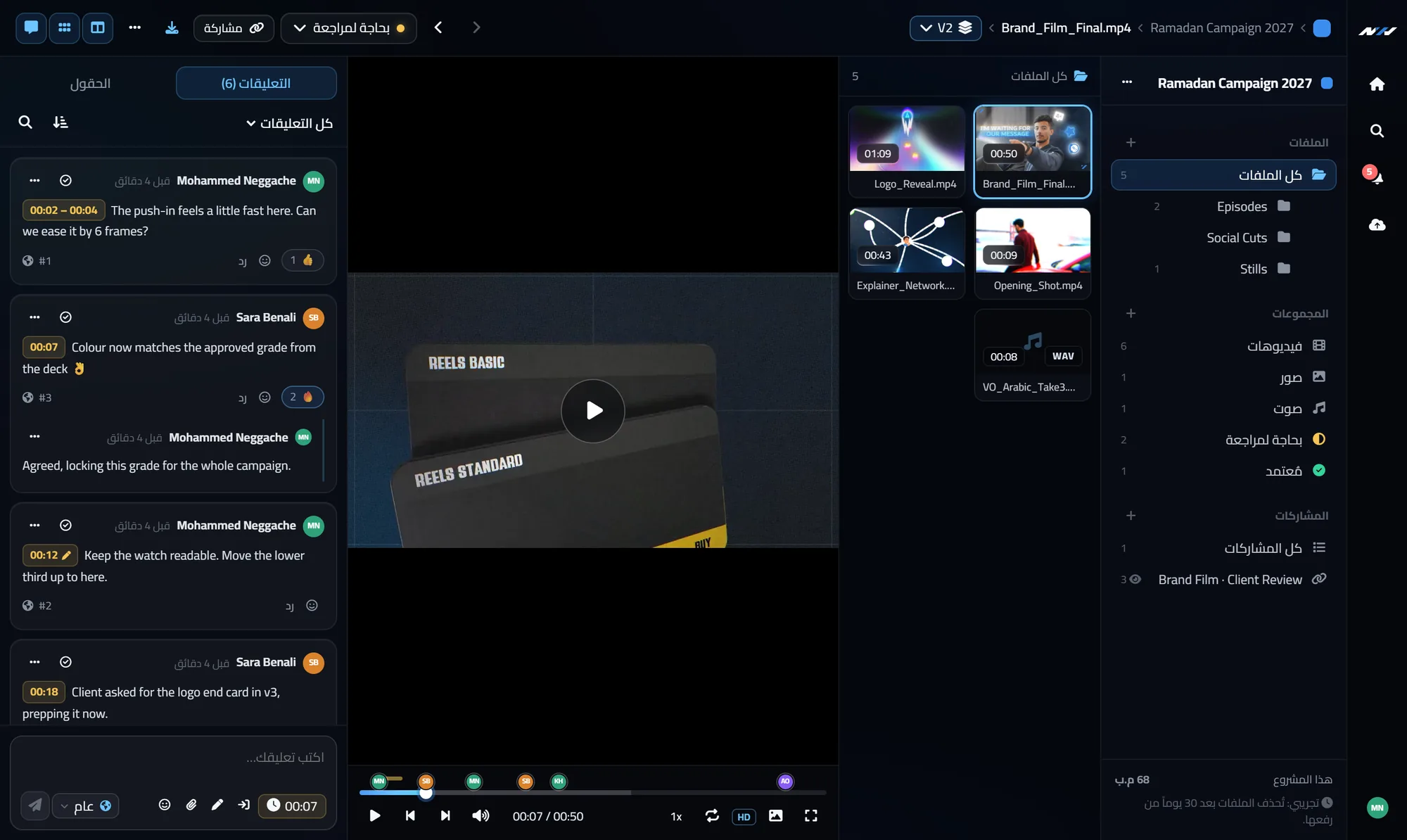
The fields panel with status, rating, assignee and notes
Your team

Editors, reviewers, and notes only the team sees

Invite editors who upload and share, and reviewers who only watch and comment. Mark a comment Internal to talk shop without the client reading it. Give each file a status, a rating, an owner and notes.

  • Notifications for comments, mentions, uploads and approvals
  • Resolve comments as the work gets done
Anywhere, in your language

Fully in Arabic, and made for the phone

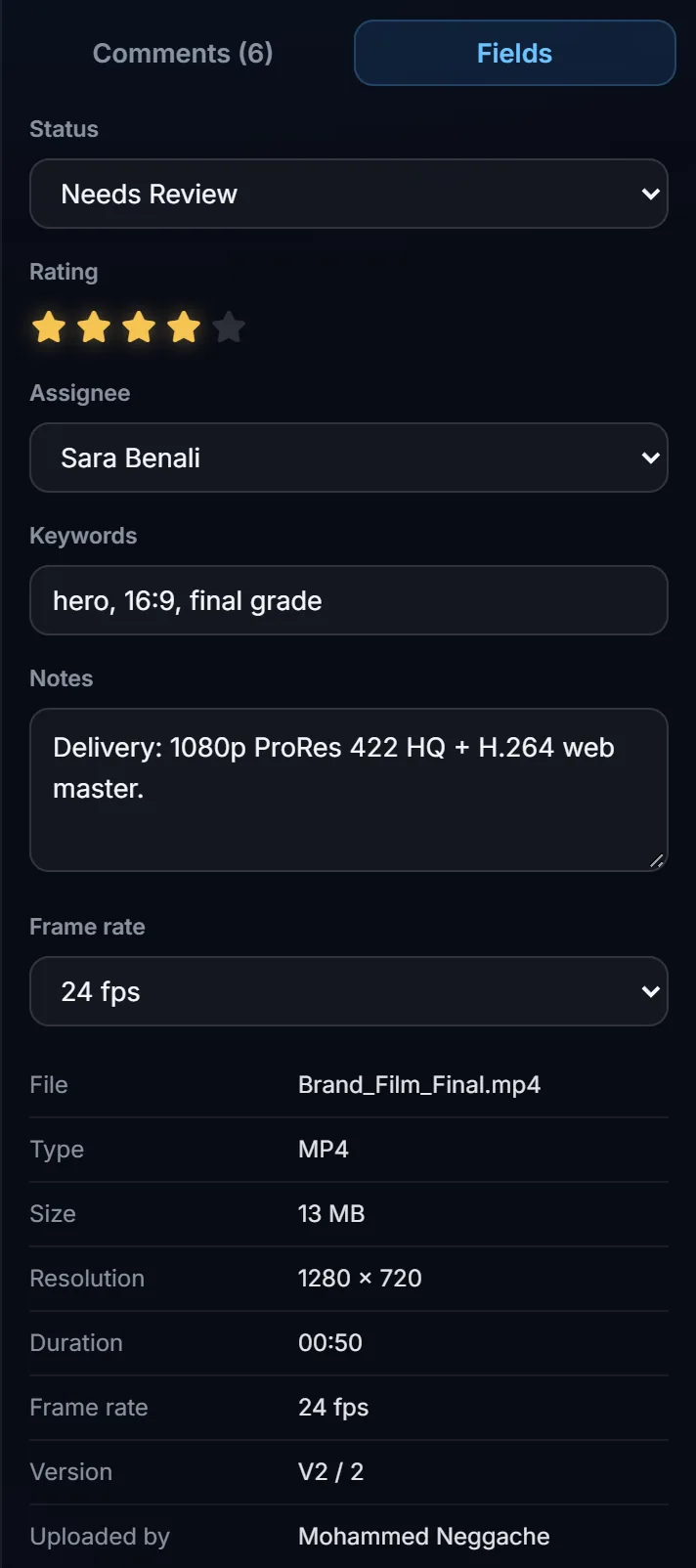
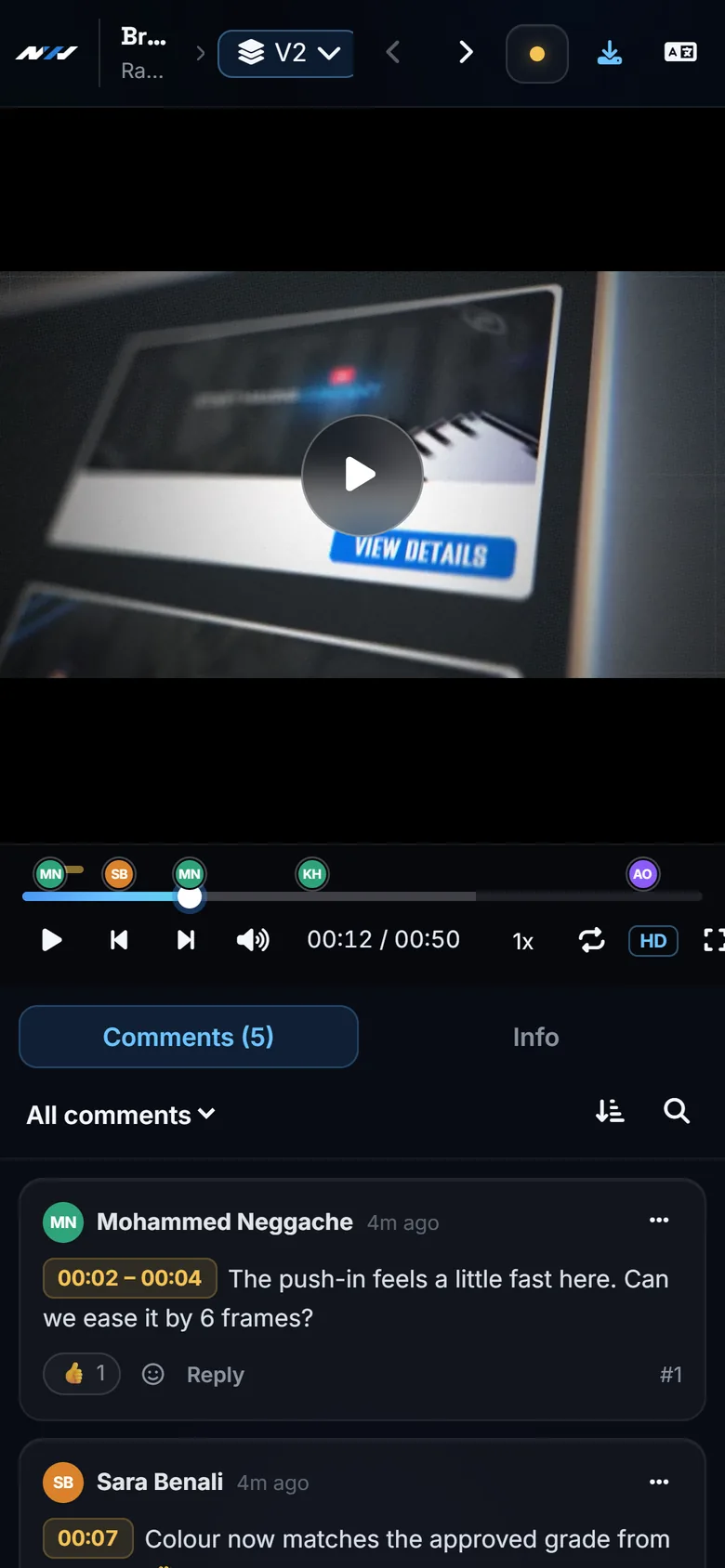
Switch the whole interface to Arabic, right to left. And most clients open the link on their phone: the player, the comments and the Approve button all fit.

The review screen in Arabic
The same project, in Arabic
A client reviewing on a phone
What your client sees on a phone
How it works

From export to approval in three steps

Upload

Drag your export into a project. Thumbnails and the preview strip are made in your browser while it uploads.

Send one link

Pick the files, set a password or an expiry if you want, copy the link into WhatsApp or email.

Get it approved

Notes arrive on the frame. You fix, upload V2 on top, and your client presses Approve.

Plan

Free while in beta

Free

0 per month
  • 3 GB of storage per account
  • Unlimited comments, drawings and share links
  • Clients review without an account
  • Team members with editor and reviewer roles
  • Files up to 500 MB, kept 30 days
Coming soon: get notified
Coming next

Bigger plans for busy studios

More storage, longer retention, email notifications and your own logo on client links. They are being built now, and nothing changes for your existing projects without notice.

Tell us what your studio needs

Good to know

The limits, named plainly

You would find these in the first ten minutes anyway.

Browser-ready video only

Upload MP4 (H.264) or WebM. ProRes and other master formats are refused before the upload starts, with a message saying why: export a review copy. Your masters can still be shared as plain files.

Files are kept for 30 days

During the beta, files are removed automatically 30 days after upload, and each card shows the days left. Review is for work in progress, not for archiving.

Up to 500 MB per file

Plenty for a review copy of a few minutes in 1080p. Very long or 4K files should be exported lighter for review.

Notifications live in the app

Comments, mentions and approvals appear in the bell inside Next Horizon Review. Email notifications are the next thing being added.

Questions

Frequently asked

Does my client need an account?
No. They open the link, type their name once, and can watch, comment, draw and approve. Only your team needs a Next Horizon account.
Is it free?
Yes. The free plan gives each account 3 GB of storage, with unlimited comments and share links. Plans with more storage will come later, and nothing changes for existing projects without notice.
Which files can I upload?
Video in MP4 or WebM, images (JPG, PNG, WebP, GIF), audio (MP3, WAV, M4A, AAC, OGG) with a waveform, PDF, and project files such as PSD, AI, AEP, PRPROJ or ZIP, which are shared for download.
Why is my ProRes file refused?
Browsers cannot play ProRes, so a client could not watch it. Export an H.264 MP4 for review; it is smaller, uploads faster and plays everywhere.
Can I protect a link?
Yes: a password, an expiry date, and a switch for downloads. You can also delete a link at any time, and it stops working immediately.
Does it work in Arabic?
Yes. The whole interface is in Arabic and English, laid out right to left in Arabic, and comments mix both languages correctly.
How is it different from Frame.io?
Frame.io is a large product with deep Adobe integration and paid plans per member. Next Horizon Review focuses on the review loop itself, works fully in Arabic, and is free while in beta. If you need Frame.io's camera-to-cloud or Premiere panel today, Frame.io is the better fit.
Send your next cut as a link

Create a project, drop in the export, and have your client commenting on the frame in about a minute.