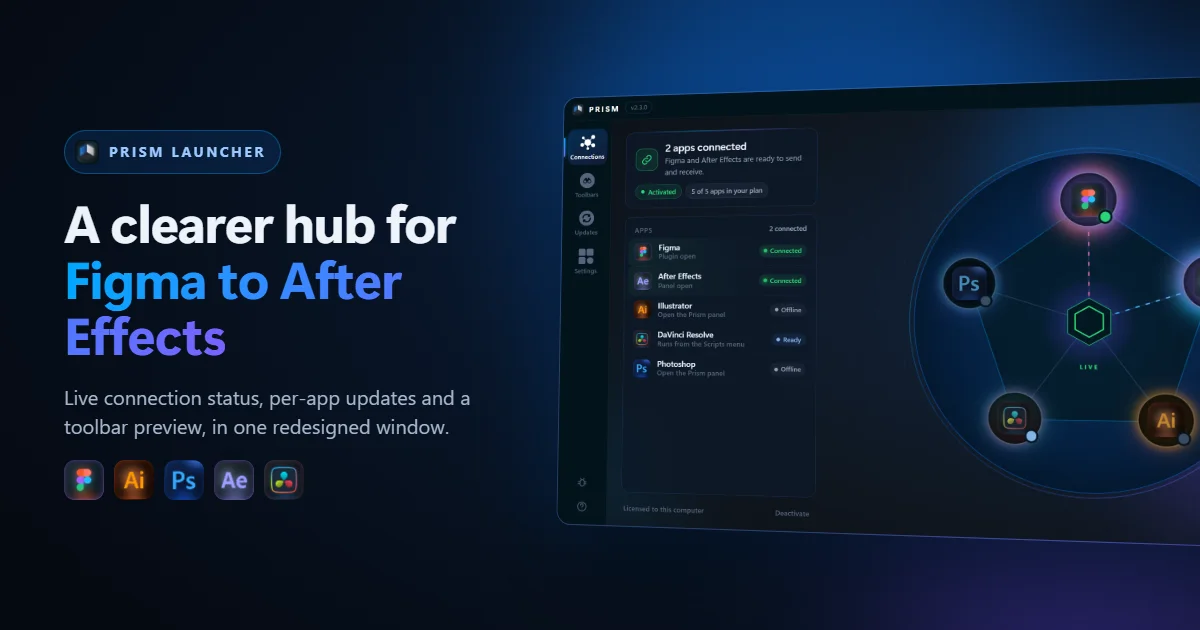
Prism connects Figma, Illustrator, Photoshop and DaVinci Resolve to After Effects. Behind every one of those bridges sits one small window: the Prism Launcher. It holds your licence, runs the local bridge that the apps talk to, and tells you what is connected right now. We have redesigned it from the ground up so that the answer to the most common question, is Prism working?, is the first thing you see.
Why we redesigned the Prism Launcher
The old window did its job, but it made you read too much. The same grey "Offline" label meant three different things: the app was closed, its panel was not open yet, or your licence did not include it. The button that removes your activation looked like the main action on the page. And the connection diagram showed lines, but not which app was which at a glance. The new Launcher keeps the same bridge and the same licence, and changes everything about how it is presented.
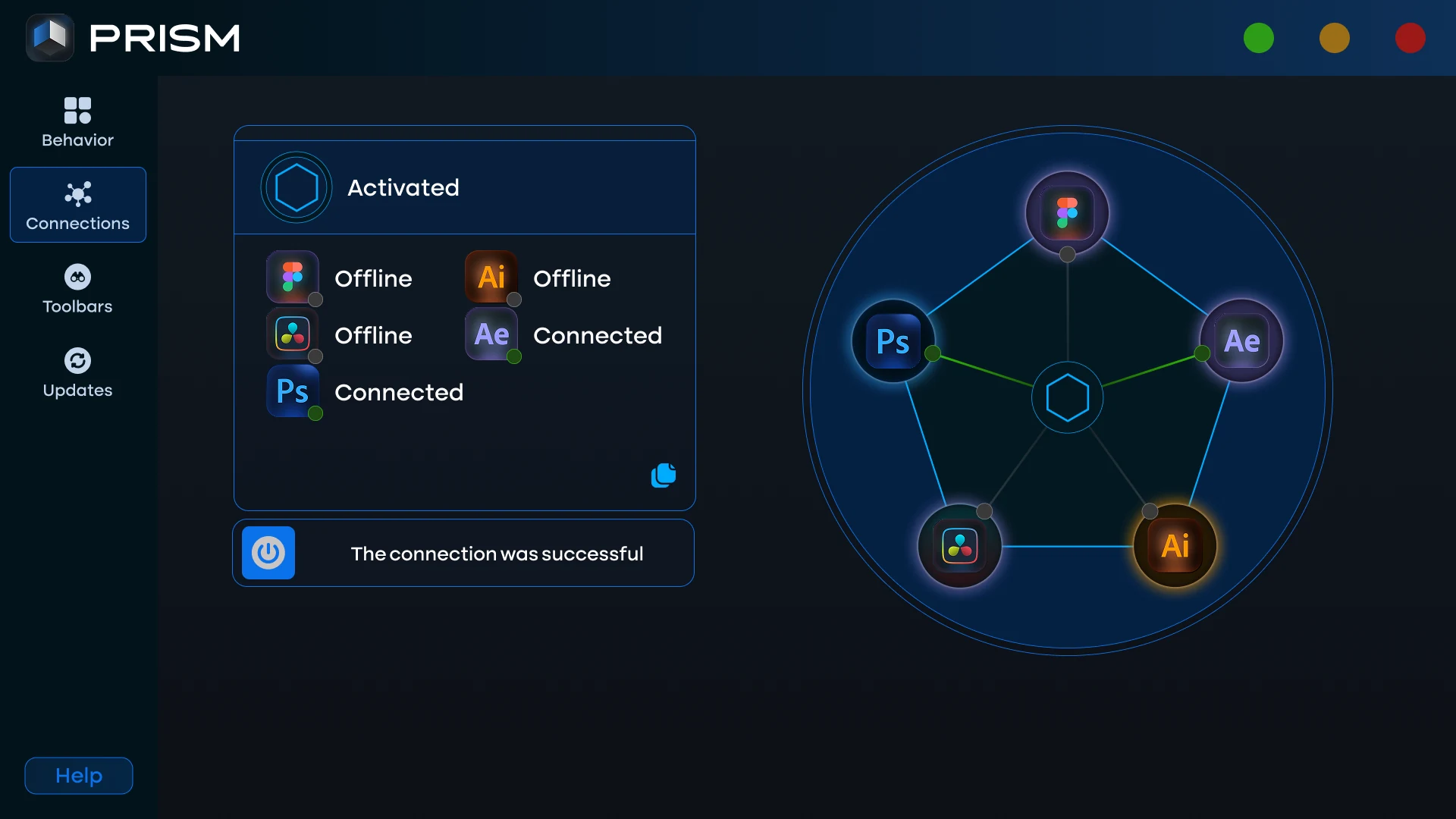
One status card that answers "is Prism working?"
The Connections page now opens with a single status card. It always sits in the same place and always tells you what to do next:
- Waiting for an app: Prism is activated and ready. Open the Prism panel in Figma, After Effects, Illustrator or Photoshop.
- Apps connected: names the apps that are live, for example "Figma and After Effects are ready to send and receive".
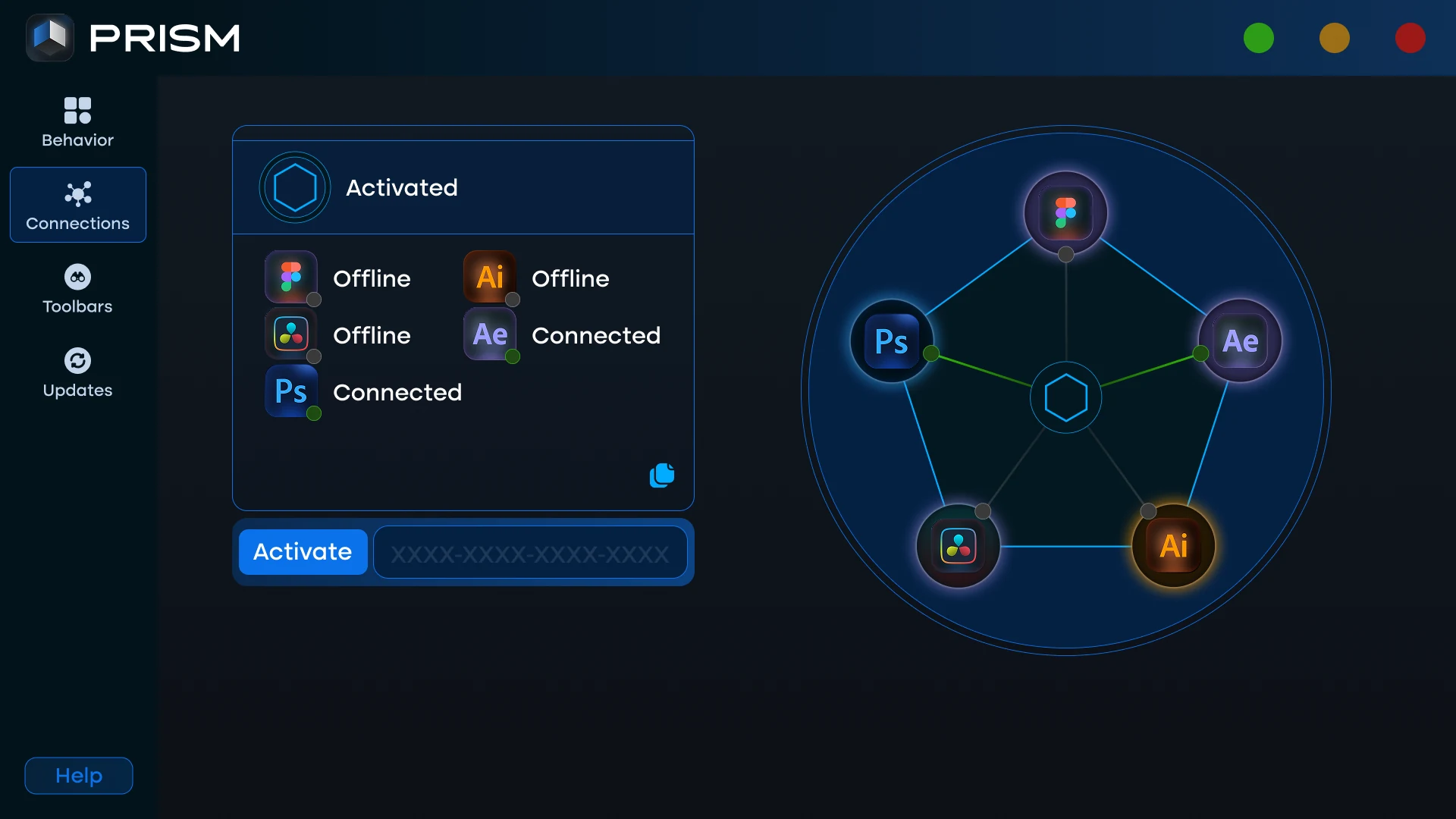
- Activate Prism: the licence key field appears right in the card, with a link to get a key.
- Prism is not running: the card says your licence is safe and gives you a Start Prism button. The Launcher also tries to start the background bridge by itself the first time.
Below the card, the app list is sorted by what matters: connected apps first, then the ones that are available, then the ones your plan does not cover. "Not in your plan" is now its own state with a direct link, so it can never be confused with an app that is simply closed.
A connection diagram you can read at a glance
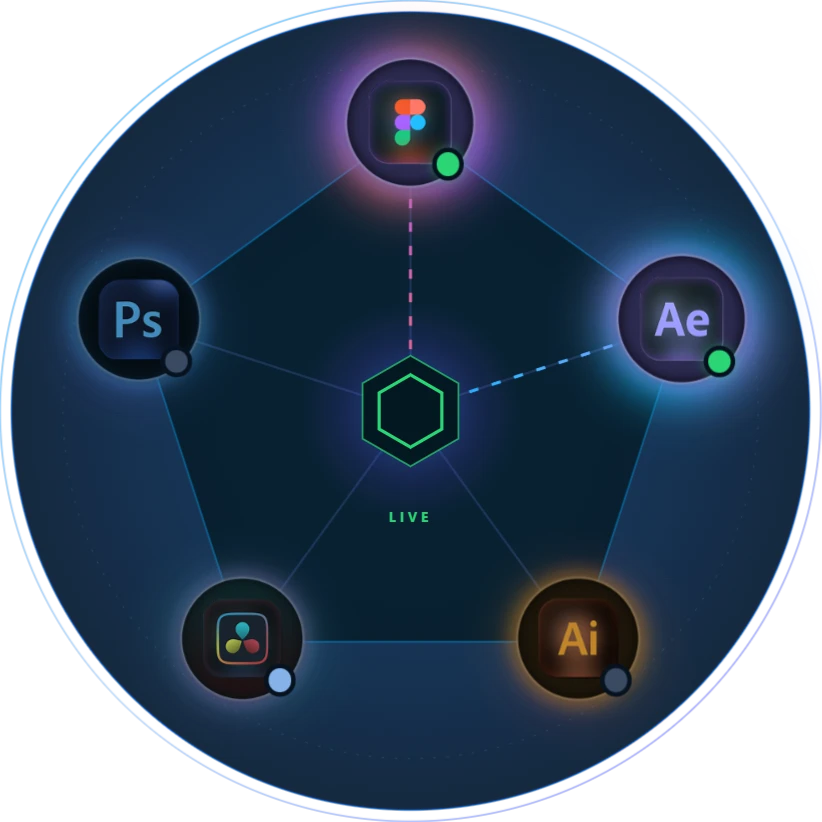
The pentagon diagram is still the quickest way to see whether a problem is on the Prism side or the app side, and it is now much easier to read. Each app glows in its own brand colours. A small status dot on every logo turns green when the app is connected, and a line starts moving from the app to the centre while it is live. When the bridge is not running, the lines turn red and the centre reads OFFLINE. Hover any logo to see its name.
Activation in one place
You paste your licence key once, in the Launcher, and every app you installed is unlocked at the same time. There is no second key to enter inside After Effects, Photoshop or Illustrator. Deactivating is now a quiet link at the bottom of the page, always behind a confirmation, so it cannot be clicked by accident.
Toolbars with a live preview
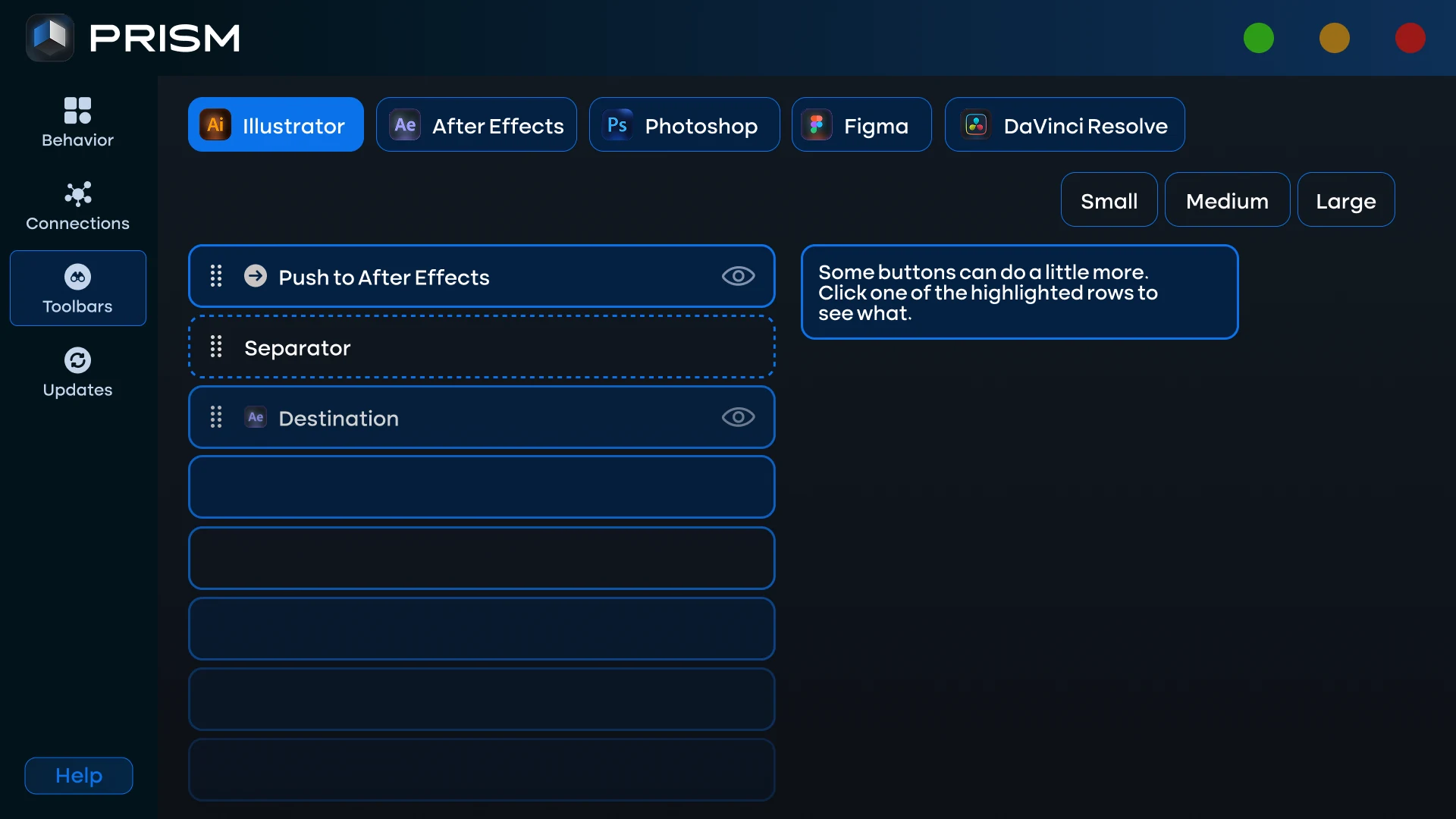
The Toolbars page lets you shape the Prism panel in each app. Pick Illustrator, After Effects or Photoshop along the top, drag buttons to reorder them, hide the ones you never press, choose a small, medium or large icon size, and add separators and line breaks to group them the way you work. The new preview shows the result on a dark strip like the panel itself, so you see the toolbar before you open the app. Buttons with their own setting, such as Receive automatically, show that option right beside the list.
Updates, app by app
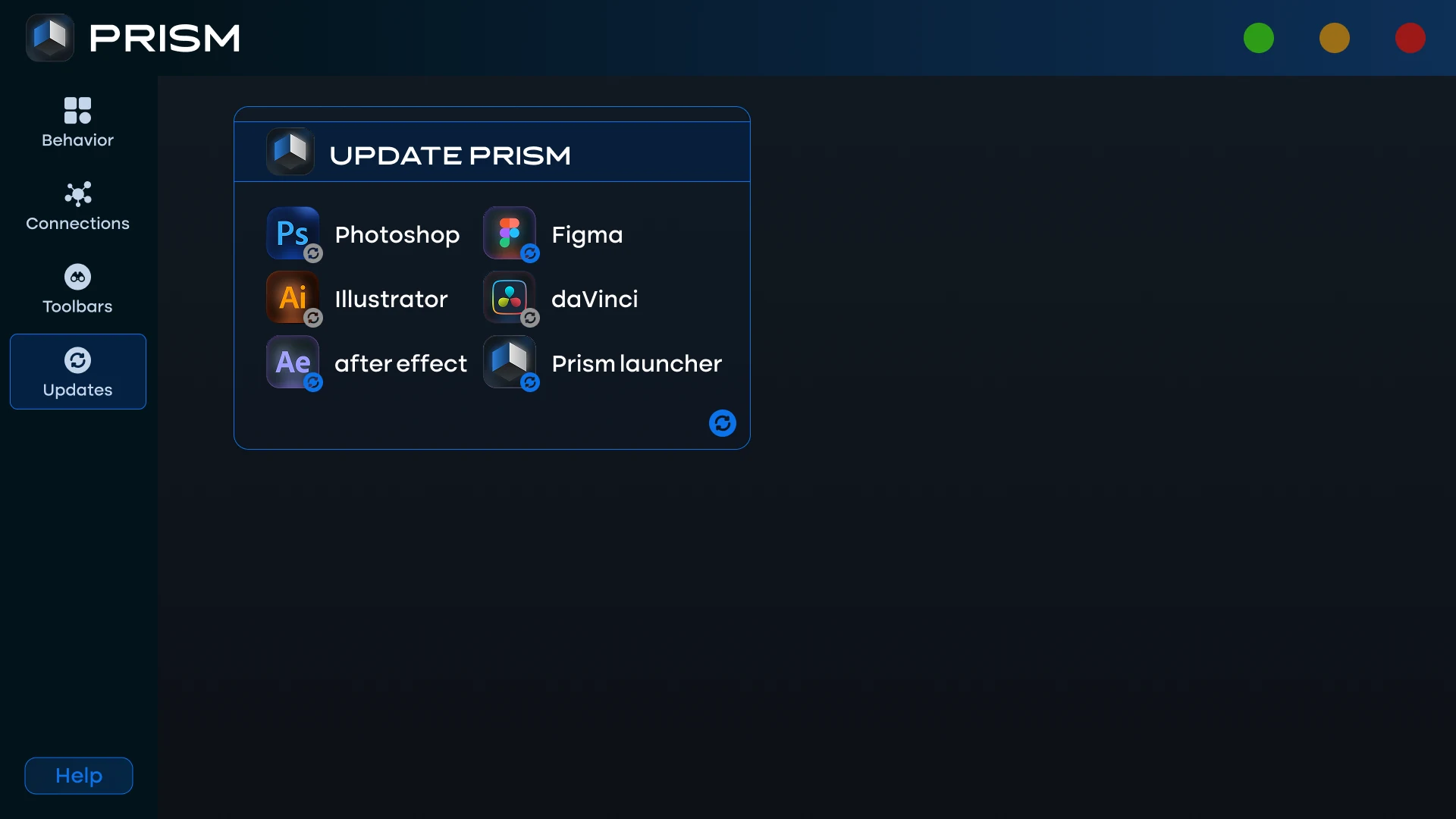
Every part of Prism has its own row on the Updates page, with the version installed on your computer and the new version when one is available. Update one app with its own button, or everything with Update all. The Launcher downloads only the files that changed, checks every download before installing it, and never touches your projects. When an update is ready, a small dot appears on Updates in the sidebar, and you can let the Launcher check for new versions each time it opens.
Settings grouped by topic
Settings are now organised into clear groups: startup and window, notifications, updates, and privacy. The ones that change how Prism behaves, such as keeping Prism running in the tray when you close the window, or keeping your activation after you quit, come with a short explanation of what they do.
How to get the new Launcher
If you already use Prism, open the Launcher, go to Updates and click Update next to Prism Launcher. When it finishes, quit Prism from the tray icon and start it again. New customers get the new Launcher with the installer. The Prism installation guide walks through the setup step by step, and the Prism user guide covers every page of the Launcher. If you work mostly in Illustrator, see how Prism moves Illustrator artwork to After Effects.
Frequently Asked Questions
Do I need to activate Prism again after updating the Launcher?
No. Your activation is stored on your computer and is kept through updates and restarts. You only enter your key again if you deactivate this computer yourself.
Does the new Launcher change how designs are sent to After Effects?
No. The bridge that moves designs from Figma, Illustrator and Photoshop to After Effects works the same way. The redesign changes the Launcher window, not your workflow.
Why does DaVinci Resolve show "Ready" instead of "Connected"?
Prism runs inside DaVinci Resolve from its Scripts menu and does not keep a connection open between uses. "Ready" means your plan includes it and it is available whenever you run it.
What does "Not in your plan" mean?
Your licence does not include a bridge for that app. The row links straight to the Prism store page, where you can add it.
What should I do if the Launcher says Prism is not running?
Press Start Prism in the status card. If it still does not start, open Prism from the Start menu. Your licence is not affected either way.