Photoshop has five different ways of masking a layer, and they do not all behave the same when a design moves into After Effects. This page shows what each one becomes, using the real output of a transfer rather than an illustration of one.
Every image below is the layer exactly as it landed in the composition, transferred with Prism from the Photoshop document shown underneath.
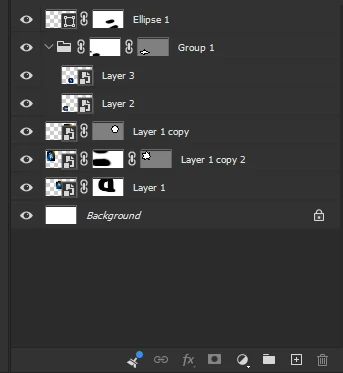
The source document
One Photoshop file carrying all five cases at once: a painted mask, a pen path, both together on one layer, a mask on a folder, and a shape layer. Each was pushed to After Effects in a single transfer.
Result in After Effects
Raster (pixel) layer maskLuma track matte
Raster (pixel) layer mask
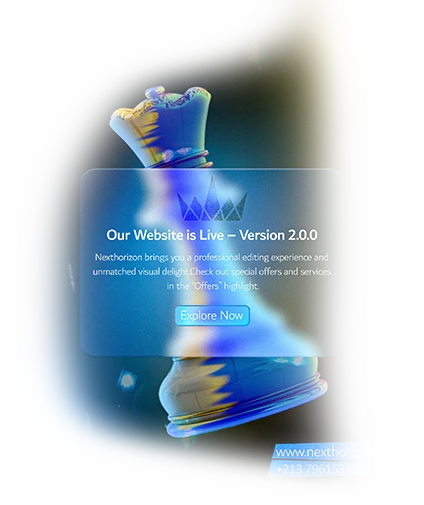
The everyday Photoshop mask: painted with a brush, soft-edged, sitting in the black-and-white thumbnail next to the layer.
The layer arrives uncut, with its mask beside it as a separate grayscale layer wired up as a luma track matte. Every grey value survives, so a feathered edge stays feathered instead of turning into a hard cut. Both layers stay independent: move, scale or animate the matte and the reveal follows.
Result in After Effects
Vector maskNative AE mask (Bezier path)
Vector mask
A path drawn with the Pen or a shape tool, used to crop a layer with a clean, resolution-independent edge.
The path itself is traced and rebuilt as a real mask on the After Effects layer, editable in the Masks panel like one you drew yourself. The pixels behind it are sent whole, not pre-cut, so widening the mask in After Effects genuinely reveals more of the image rather than emptiness.
Result in After Effects
Both masks on one layerAE mask + luma matte together
Both masks on one layer
Photoshop lets a single layer carry a vector mask and a raster mask at the same time, and the two compose: the shape defines the outline, the painted mask softens or removes parts of it.
Both come across and keep composing the same way: the vector mask becomes an editable AE mask on the layer, and the raster mask rides along as its luma matte. Neither is flattened into the other, so each can still be adjusted on its own.
Result in After Effects
Mask on a group (folder)Pre-comp with the matte inside
Mask on a group (folder)
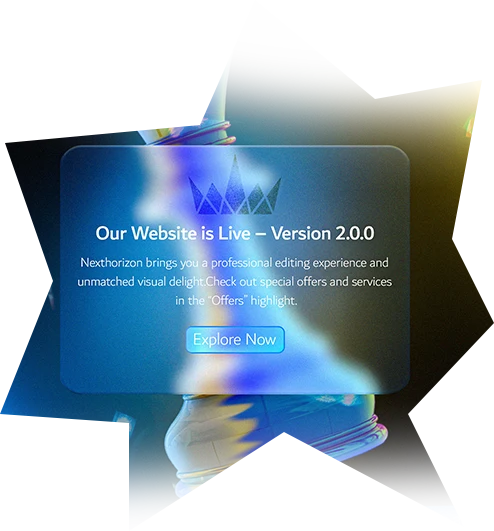
A mask attached to a folder rather than to one layer, cropping everything inside it at once. Common for framing a whole composed element.
The folder becomes a pre-composition holding the same child layers in the same order, and the group mask becomes a matte applied to that pre-comp. The nesting is preserved, so the children stay individually animatable inside it.
Result in After Effects
Shape layerLayer cut to its own shape
Shape layer
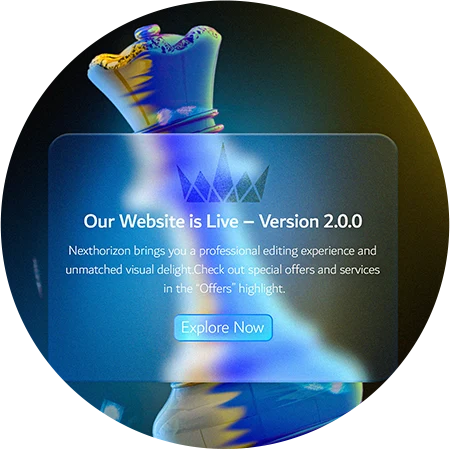
An Ellipse, Rectangle or Custom Shape. Its vector mask is not a crop laid over content, it IS the content: turn the mask off and the layer is empty.
Handled as the special case it is: the shape arrives already cut to itself, gradients, strokes and all, and no second mask is laid on top. Cutting the same outline twice is harmless while the two agree exactly, and empties the layer the moment they do not.
Common questions
Do Photoshop layer masks transfer to After Effects?
Yes. A raster layer mask arrives as a separate grayscale layer wired up as a luma track matte, so the soft edges and every grey value are preserved rather than being baked into the image.
Do vector masks stay editable in After Effects?
Yes. The path is rebuilt as a native After Effects mask on the layer, editable in the Masks panel. The image behind it is sent whole, so enlarging the mask reveals more of the picture instead of transparency.
What happens to a mask placed on a group?
The group becomes a pre-composition containing the same layers in the same order, and the mask is applied to that pre-comp, so everything inside stays individually animatable.
Can one layer carry a vector mask and a raster mask at once?
Yes, and both transfer. The vector mask becomes an editable After Effects mask on the layer and the raster mask travels with it as its luma matte, composing exactly as they did in Photoshop.
Move a Photoshop design without rebuilding it
Prism sends Photoshop, Figma and Illustrator designs into After Effects or DaVinci Resolve as editable layers, masks included.