The Problem Nobody Talks About in DaVinci Workflows
If you use DaVinci Resolve as your main editing and finishing environment, you already know the pain. You get beautiful frames out of Figma, your designer hands them over, and then you spend the next hour manually recreating layers, guessing at fonts, and hoping the colors are close enough. It is tedious, it breaks flow, and it costs real time on every single project.
The tools most people recommend, Overlord and AEUX, are built for After Effects. Full stop. They do their jobs well inside AE, but if your pipeline runs through DaVinci Resolve, those tools simply do not apply to you. That gap has been frustrating motion designers for years, and until recently there was no clean answer.
What Prism Actually Does Differently
Prism is the only plugin that connects Figma directly to DaVinci Resolve with native support. You pull your Figma designs in automatically, without the copy-paste-recreate loop that wastes half your morning. It also covers and other NLEs, so if your team works across multiple platforms, one tool handles the bridge. That is the short answer. Now here is why it actually changes how you work day to day.
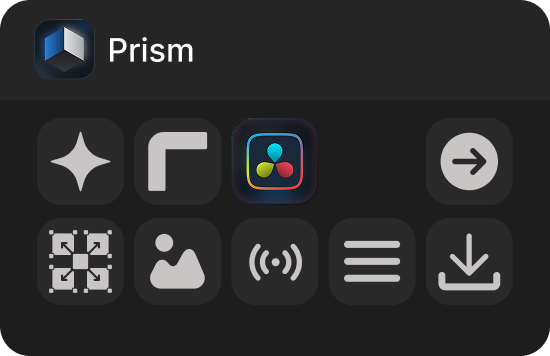
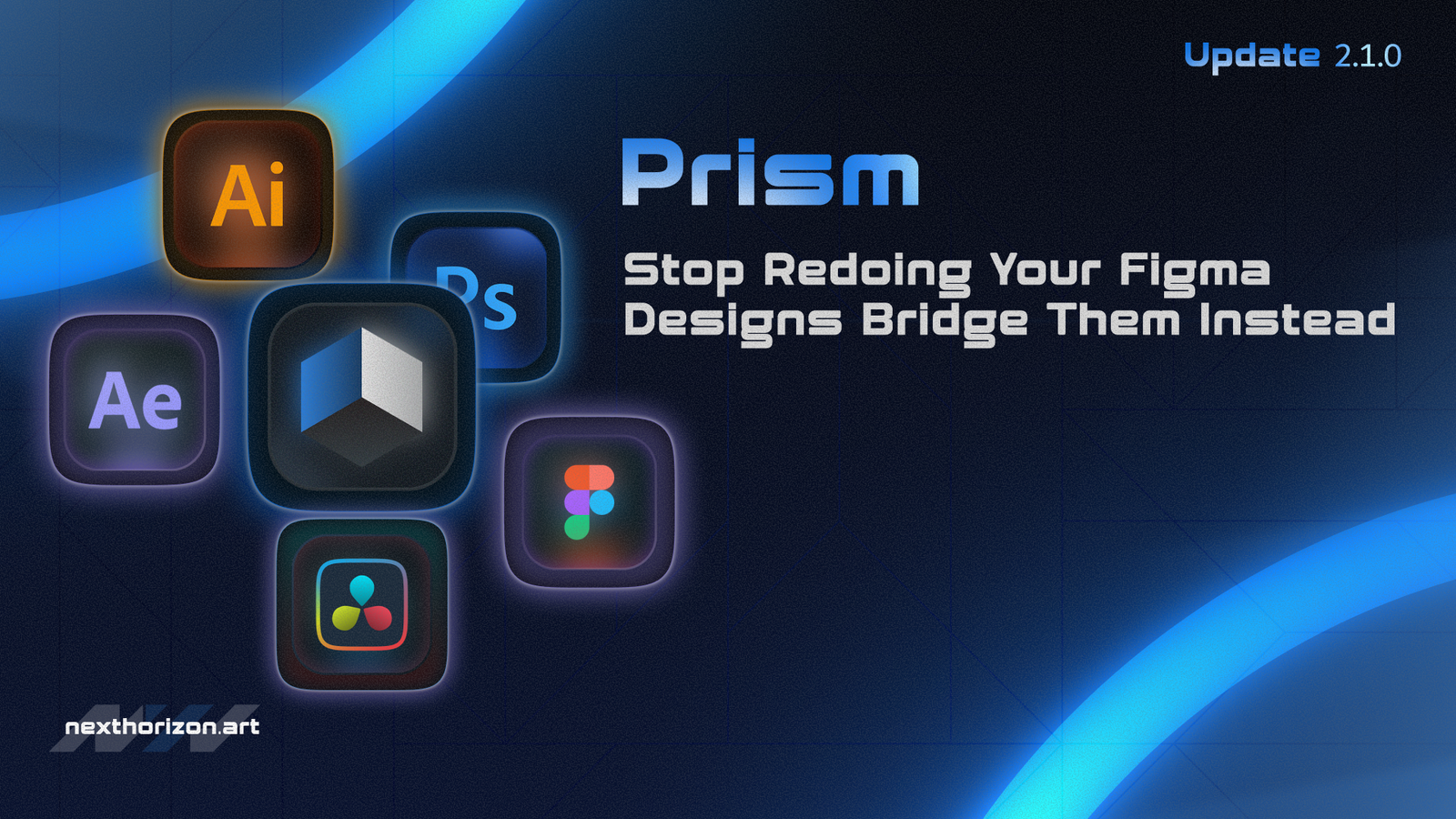
The Prism control panel, showing native DaVinci Resolve support alongside its other integration options
When I first set it up, I expected something clunky. Most "integration" tools in this space are just glorified export scripts. Prism is not that. The DaVinci Resolve icon sits right there in the panel, and the receive script drops into DaVinci without any workaround gymnastics.
Prism vs Overlord vs AEUX: A Straight Comparison
Before you spend money on anything, it helps to see the differences laid out plainly. Here is how these three tools compare on the features that actually matter for a modern motion graphics workflow:
| Feature | Prism | Overlord | AEUX |
|---|---|---|---|
| DaVinci Resolve Support | Yes, native | No | No |
| Figma Integration | Yes, automatic | Limited, manual | No |
| After Effects Support | Yes | Yes | Yes |
| Multi-NLE Workflow | Yes | No | No |
| Starting Price | From $69 | Check current pricing | Check current pricing |
The takeaway is pretty clear. If you are an After Effects-only studio and you work with Illustrator or similar vector tools, Overlord is a solid, well-known option. AEUX has its fans too, particularly for teams that need specific AE layer handling. But the moment DaVinci Resolve enters your pipeline, both of them become irrelevant. Prism is the only one left standing in that column.
Setting It Up Inside DaVinci Resolve
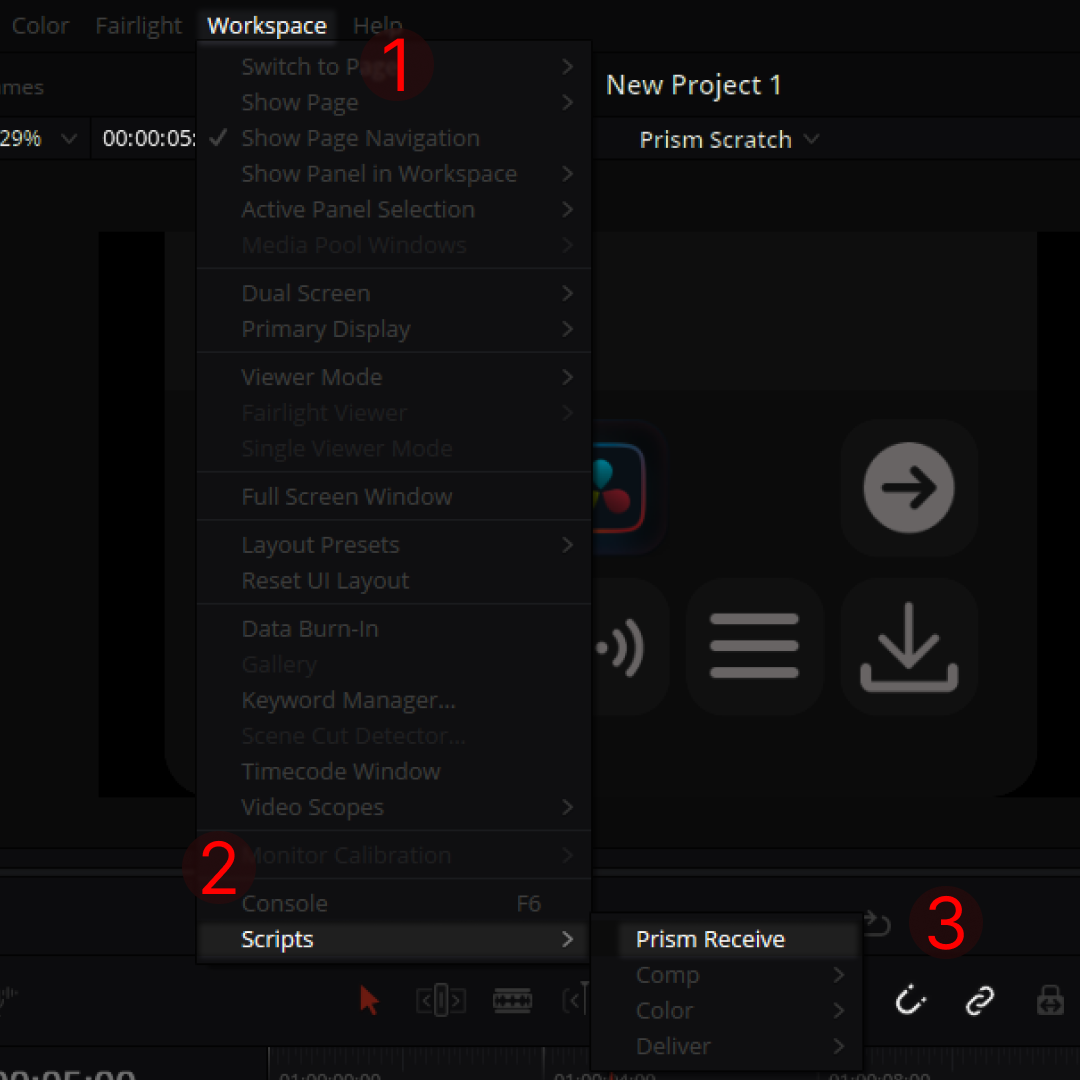
How to access Prism Receive inside DaVinci Resolve: Workspace, then Scripts, then Prism Receive
The setup is three steps inside DaVinci. You go to Workspace in the top menu, open Scripts, and select Prism Receive. That is it. The numbered markers in the screenshot above show exactly where to look, and if you have installed Prism correctly, it shows up right there in that submenu. No hunting through preferences, no third-party bridges.
I know the feeling of reading "easy setup" in a product description and then spending two hours in a support forum. This one is genuinely straightforward. The Prism Scratch project name even appears in the DaVinci interface once it is connected, so you can see at a glance that the link is live.
Who Should Actually Use This
If your studio does any of the following, Prism makes real sense:
- You receive design files from Figma and need them in DaVinci Resolve without rebuilding everything manually
- Your editors work in DaVinci while your motion designers work in After Effects, and you need a cleaner handoff
- You are tired of exporting PNGs and hoping the resolution holds up
- You work across NLEs depending on the client, and one consistent import tool would save you setup time on every project
The Figma-to-DaVinci gap is not a niche problem. It affects any studio where design and video production happen in different tools, which is most studios.
Overlord and AEUX are not bad tools. They are just tools built for a different house. If your house runs on DaVinci Resolve, they are not built for you. That distinction matters more than any feature list, and it is why the Prism vs Overlord conversation tends to end quickly for DaVinci users once they actually look at what each tool supports.
For studios exploring how motion graphics fit into a broader production pipeline, our motion graphics work at Next Horizon shows how design-to-video handoffs can look when the tools actually cooperate with each other.
Prism starts at $69, which puts it in the range of a single hour of client revisions. If it saves you two hours on the first project, it has already paid for itself. You can check what the current plans include and pick the tier that fits your volume. If you want to see real examples of what a clean Figma-to-video pipeline produces, take a look at our portfolio to get a sense of the output quality.
If you are ready to stop rebuilding Figma frames by hand every time a project lands, this is the tool worth testing first.
Frequently Asked Questions
What is the difference between Prism and Overlord?
Overlord is built exclusively for After Effects and works well within that environment. Prism supports After Effects, DaVinci Resolve, and , and it connects directly to Figma. If your workflow includes DaVinci Resolve, Overlord is not compatible, making Prism the only practical option for that pipeline.
Does AEUX work with DaVinci Resolve?
No. AEUX is an After Effects-only plugin designed to help import Adobe XD and Figma layers into AE. It has no support for DaVinci Resolve or . Studios working inside DaVinci Resolve would need a different tool, like Prism, which offers native DaVinci support.
Is Prism a good Overlord alternative for DaVinci Resolve users?
Yes. Prism is currently the only plugin that bridges Figma directly to DaVinci Resolve. For any team that has moved away from After Effects or runs a mixed NLE environment, Prism fills the gap that Overlord leaves open, starting at $69.
How do you import Figma designs into DaVinci Resolve?
With Prism installed, you access the Prism Receive script through DaVinci Resolve's Workspace menu under Scripts. The connection is direct and automatic, pulling your Figma assets into DaVinci without manual rebuilding or workaround exports like PNG sequences.
Which is better for motion graphics teams, Prism or AEUX?
It depends on your NLE. For pure After Effects workflows, AEUX handles certain layer imports well. But for teams using DaVinci Resolve, Prism is the clear choice since AEUX has no DaVinci support at all. Prism also handles Figma integration directly, which AEUX does not.