There's a specific kind of frustration that comes with having a great product and a quiet inbox. EditCall knew that feeling. Their platform connects video editors directly with clients who need ongoing work, cutting out the middleman, the commission, the waiting. The idea was solid. But without the right visual storytelling, that idea was just text on a page. That's where a well-made motion graphics video stops being a nice-to-have and becomes the actual argument.
When they came to us at Next Horizon Studio, the brief was sharp: help freelance video editors understand exactly why EditCall is different, fast. No long explainer. No corporate voiceover. Just clarity, energy, and a reason to care. This is the story of what we built and the decisions that made it work.
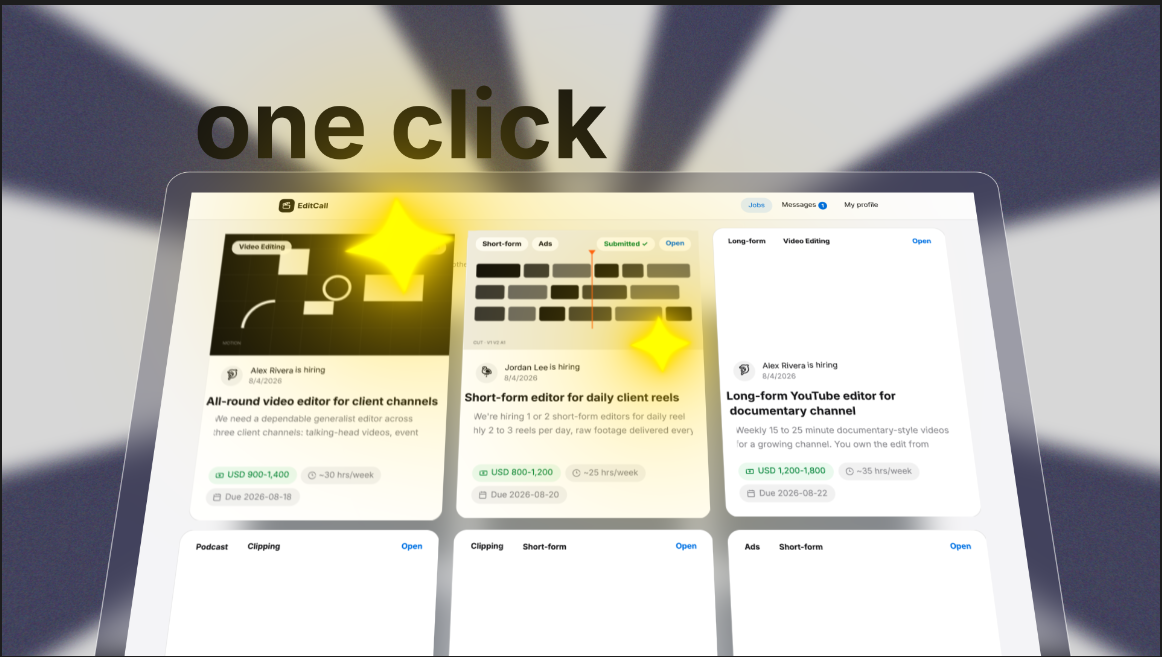 The finished shot: kinetic typography, animated EditCall UI mockup, and the golden glow highlighting job cards
1. We Led With the Pain, Not the Product
A motion graphics video that opens with a logo and a tagline is already losing. Viewers make the decision to keep watching in the first two or three seconds, and they don't do that because your brand colors are pretty. They do it because something on screen feels true to their experience.
The video opens with two words: Great portfolio. Zero replies. That's it. No setup. No context. Just the exact sentence every freelance video editor has thought to themselves at 11pm after submitting their fifteenth application that week. The script was written to name that specific sting, because when a viewer feels recognized, they lean in.
This is the single most underrated thing about B2B video marketing. You don't need a long intro. You need the right first sentence. Everything else follows from there.
2. The Kinetic Typography Did the Heavy Lifting Up Front
The fastest way to communicate a platform's core value in a promotional video is to make the words themselves move with intention. For this project, the opener used bold oversized text, the phrase "one click", animated against a radial light-burst background. No voiceover carrying it. No supporting visual. Just the type, the motion, and the energy.
Kinetic typography works in SaaS explainer videos because it compresses meaning. Instead of spending five seconds showing someone clicking a button, you spend two seconds making the idea of that click feel effortless and significant at the same time. The animation does the convincing.
What made this one feel polished rather than generic was the radial burst sitting behind the text. It adds visual weight to the moment without pulling attention away from the words. That balance, between supporting motion and competing motion, is something you get wrong a lot before you get it right.
3. The UI Mockup Was Animated, Not Screenshotted
This is the decision that separates a real motion graphics video from a slideshow with transitions. Instead of dropping a static screenshot of the EditCall job board into the frame, we rebuilt the entire interface inside After Effects as a fully animated asset.
Job cards, filter tabs, status tags like "Submitted", the navigation bar, the rate ranges, the due dates. All of it custom-built, layer by layer, and then animated to move like a real product that a real person is using. You can see exactly what EditCall looks like and how it works, without anyone having to say "and here you can see the dashboard."
When a viewer can see a product in motion, they stop imagining it and start picturing themselves using it. That mental shift is what turns a promotional video into a conversion tool.
This is also the more demanding route. It takes significantly longer than a screenshot. But it's the difference between a viewer thinking "looks interesting" and thinking "I want to sign up."
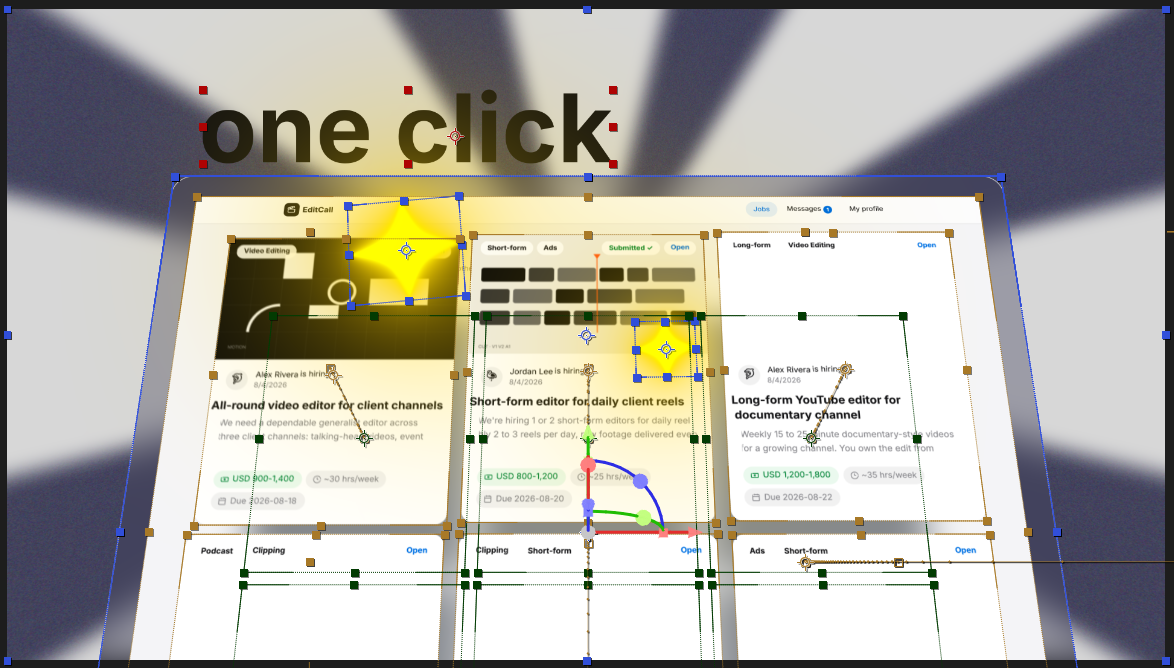
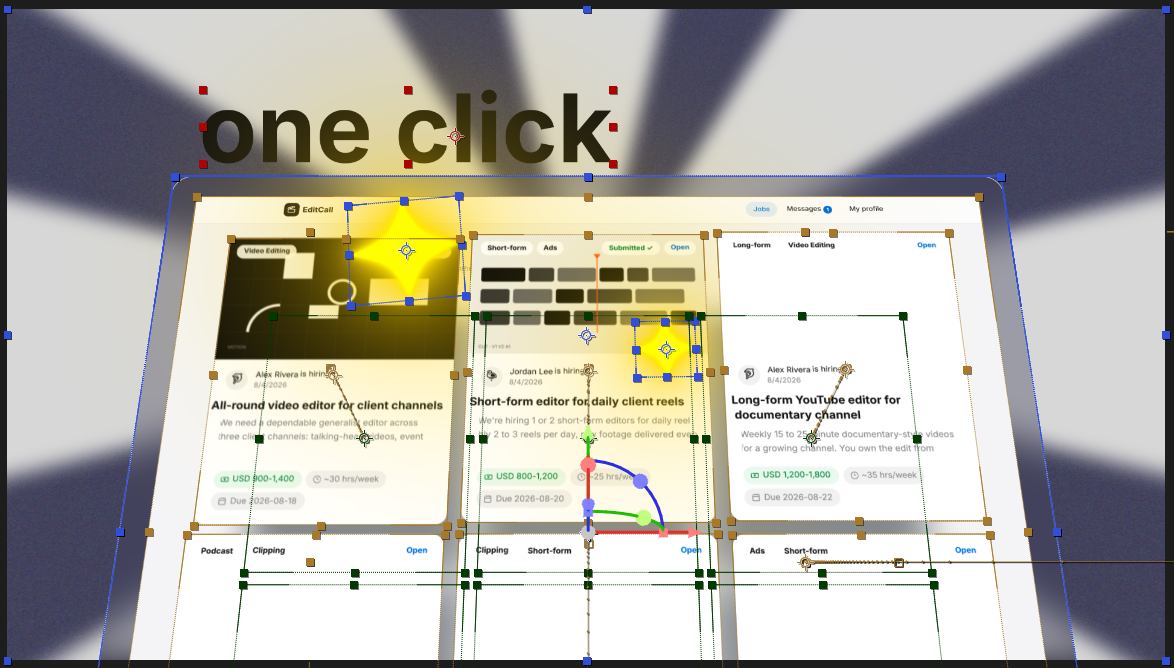 Behind the build: anchor points, animation paths, and glow highlights visible mid-production in After Effects
4. The Glow System Replaced Every Callout Arrow
One of the default moves in animated video production is the callout arrow. Something important is on screen, so you draw an arrow to it and maybe add a label. It works. It's also immediately recognizable as "corporate explainer video" and tends to make people feel like they're watching a training module.
For EditCall, we used a soft golden glow and sparkle accent that sweeps across specific UI elements at the moment the voiceover references them. When the script says "apply with one click", the glow moves to the one-click apply state on the job card. No arrow. No text box. Just light, pointing at the right thing at the right moment.
It sounds subtle. It reads as professional. And it keeps the visual language consistent with a modern SaaS product rather than an explainer from 2014. If you look at the work-in-progress screenshot above, you can see the animation path handles for the glow highlight still visible, tracking exactly where it moves across the interface frame by frame.
5. Secondary Motion Made It Feel Alive, Not Mechanical
The thing that kills an otherwise good After Effects animation is when everything moves in perfectly straight lines at perfectly even speeds. It looks automated. It feels hollow. Real motion has a little breath in it.
For this project, wiggle expressions were applied to position and rotation across shape layers and particle elements throughout the piece. Echo effects on animated shape layers added motion blur-like trailing that gives the video the kind of energetic polish you see in high-end SaaS promo content. None of it is loud or distracting. You don't consciously notice it. You just feel like the video is alive rather than rendered.
The layer count to pull this off is not small. Dozens of individually keyframed shape, ellipse, and adjustment layers, each with its own timing. You can see the full stack in the After Effects timeline below, which gives a clearer picture of what "custom-built" actually means compared to dropping a template and changing the colors.
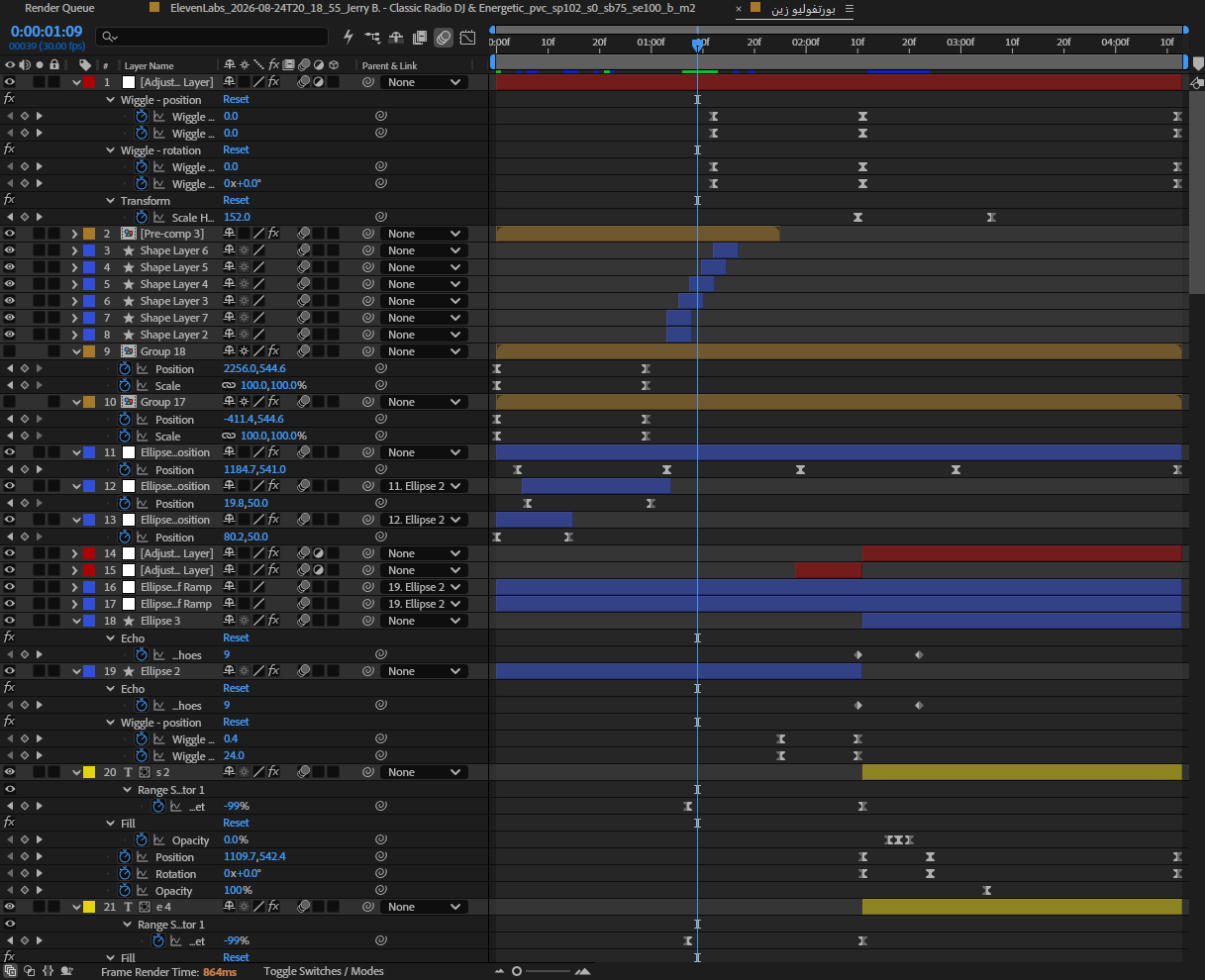 The full After Effects layer stack: wiggle expressions, echo effects, and dozens of individually keyframed layers
This level of craft is what we build into every motion graphics project at Next Horizon. It's not about showing off. It's about making sure the video does its job when it's sitting next to every other piece of content competing for the same thirty seconds of attention.
The Result: One Video, One Pitch, One Platform
The EditCall video lands the platform's value in under sixty seconds. One profile instead of ten. One-click apply. Direct contact with the person hiring you. Zero commission. The script delivers all four differentiators without feeling like a feature list, because the visuals carry half the argument before the voiceover even gets there.
That's what a well-made explainer video actually is. Not a summary of your product page. Not a recorded demo. A compressed, intentional argument built from moving images and a script that understands exactly who it's talking to and what they're afraid of.
If you want to see more of what this kind of work looks like, our portfolio has a range of B2B and SaaS projects that show the thinking behind the visuals, not just the final output.
If you have a product with a value proposition that's not breaking through yet, a short, custom motion graphics video is often the fastest way to fix that. Tell us what you're building and we'll figure out the right approach together.
Frequently Asked Questions
How long should a motion graphics video be for a SaaS product?
For most SaaS and B2B products, 60 to 90 seconds is the sweet spot. It's long enough to explain the core value and show the product in action, but short enough to hold attention. Anything over two minutes needs a very compelling reason to exist.
What's the difference between a motion graphics video and a regular explainer video?
A motion graphics video uses animated shapes, typography, and custom-built visuals to tell a story. A traditional explainer might use character animation or live action. Motion graphics tend to work better for SaaS and B2B because they can show UI, data, and abstract concepts clearly without needing actors or a film crew.
Is it worth building a custom animated UI mockup instead of using screenshots?
Yes, if the product interface is central to the value proposition. An animated mockup shows the product in motion, which helps viewers picture themselves using it. Static screenshots require the viewer to do more imaginative work, and most won't bother. The extra production time pays off in clarity and conversion.
How much does a professional motion graphics video cost?
Pricing varies widely depending on length, complexity, and studio. A short custom-built promo like the EditCall video involves scripting, custom UI animation, kinetic typography, and secondary motion work. Check current pricing directly with studios, as rates depend heavily on scope and turnaround time.
What software is used to make professional motion graphics videos?
Adobe After Effects is the industry standard for professional motion graphics and animated video production. Most studios combine it with Illustrator or Figma for asset creation. For complex projects, the After Effects timeline will contain dozens of individually keyframed layers, expressions, and effects rather than pre-built templates.